LEGACY SYSTEM MIGRATION

Have a legacy system nobody wants to touch? As a modernization services provider, we do
We’ve modernized legacy systems built anywhere from 2 to 16+ years ago. On the oldest, 500+ endpoints return identical responses 5–7x faster. We’ll run the same parity checks and rollback plan for your legacy system data migration.
Your next growth stage starts with the right provider of legacy system migration services — at launch, or at scale

DESIGNING PRODUCTS FOR STARTUPS BACKED BY

phenomenon studio IN NUMBERS
$500M+

raised by clients backed by YC, Techstars, a16z, and others

2x

projects per client on average, most come back for more

5.0

on Clutch, based on 56 reviews

80%

senior specialists, no juniors on client work

LEGACY SYSTEM MIGRATION CHALLENGES WE’VE SOLVED

If your old system turns each release into a fire drill, you’re not alone
Companies that came to us for the migration of a legacy system often had reasons like these: a key developer left, an enterprise deal hinged on a security review, or the product kept slowing down, with every change breaking old code.

The developer who built our billing logic left two years ago. There are no docs, pages keep getting slower, and every change breaks something we didn’t know was connected.

With no docs to go on, we read the code and map what depends on what, and your legacy system migration strategy follows that map. The new system gets clear module boundaries, tests, docs, and rewritten queries, so a change to billing stays in billing. That’s how we split a 16-year-old monolith into services, each with its own database.

An enterprise customer sent us a security questionnaire. Our stack has no audit logs, and half our dependencies stopped getting patches years ago.

We deal with this a lot. One of our healthcare clients needed to meet HIPAA rules, so we moved its platform to a new AWS backend on current versions and encrypted all PHI on import. Your new system gets encryption, role-based access, and audit trails as standard. When a big account asks for SOC 2, ISO 27001, or GDPR evidence, you’ll have it.

Sales keeps promising new features, so we can’t freeze the roadmap for a year. And one bad weekend cutover could cost us our biggest accounts.

You won’t have to. If the core holds up, we swap out the weak parts one by one behind feature flags, and releases go on. On an agtech platform, we cut files using the old UI library from 370 to 122 this way. If legacy system replacement makes more sense, we rehearse the move and switch over in a planned 1–2 hour window with a rollback ready.

OUR LEGACY SYSTEM MIGRATION SERVICES

One team reads your old code, moves your data, and stays after the switch
You can bring us a monolith, an outdated frontend, or a database full of duplicates. Our team takes on the whole legacy platform modernization, from your code and data to infrastructure, and even a UX/UI redesign if needed.
A 40-hour review of your code and data that sets the legacy migration strategy
Architecture map
Modules, dependencies, and entry points traced from your code, so your team sees how it fits together.
Data model review
An ER diagram rebuilt from your schema and code, plus a check for duplicates and inconsistent values.
Security review
Encryption, access control, secrets, and libraries with known CVEs, checked against your audit needs.
Target architecture
A new data model, service boundaries, permissions, and infrastructure as code for every environment.
The new system grows next to the old one, so releases and customers keep going
Incremental rebuild
New services run beside the legacy ones behind feature flags or a matching API, so users work as usual.
Data migration
Repeatable scripts move records, files, users, and billing, with cleanup rules and encryption on import.
Cloud infrastructure
For

migration of a legacy system to cloud

, we set up dev, stage, and production as code, with firewalls.
UI/UX redesign (optional)
When screens need a refresh, our designers redo them one by one on a component kit synced with Figma.
Proof the new system behaves like the old one, then a planned switch and support
Parity testing
Automated checks compare API responses and database records on both systems after every test migration.
Load & QA testing
Load and performance tests, then manual QA of the key user flows on a production-like, anonymized copy.
Cutover & rollback
A data freeze, the final migration, a DNS switch at low traffic, and a rollback plan kept in place.
Monitoring & support
Dashboards and alerts on every service, plus a support plan and warranty terms agreed in your contract.

APPROACHES IN OUR LEGACY SYSTEM MODERNIZATION SERVICES

Five ways to move an old system, and how we tell which one yours needs
Most systems we assess need a mix of these

legacy system modernization strategies

. Our team picks them in technical discovery, weighing what we find in your code and data against your budget, timeline, and appetite for risk.
01
Rehosting
Your application moves to new, better-protected infrastructure with no code changes. This keeps the

migration of a legacy system

quick and low-risk when the code works fine.
Rehosting

Best for stable apps hurt by hosting costs, outages, or security gaps.

Let's discuss

Best for stable apps hurt by hosting costs, outages, or security gaps.

Let's discuss
02
Replatforming
Your app moves onto managed cloud databases, containers, and storage with small code changes, so your team spends less time patching servers and more time on the product.
Replatforming

Works for products that outgrew their servers and the upkeep around them.

Let's discuss

Works for products that outgrew their servers and the upkeep around them.

Let's discuss
03
Refactoring
Our engineers clean up the code piece by piece while the product stays live, often behind feature flags, until tech debt no longer slows down every release your team plans.
Refactoring

Great for sound architecture with years of shortcuts slowing delivery.

Let's discuss

Great for sound architecture with years of shortcuts slowing delivery.

Let's discuss
04
Rebuilding
We rewrite the system on a new architecture and data model, keep every feature and API your customers use, and run parity checks on both systems before anyone switches over.
Rebuilding

Best for systems whose architecture limits speed, growth, or compliance.

Let's discuss

Best for systems whose architecture limits speed, growth, or compliance.

Let's discuss
05
Full replacement
When patching costs more than starting over, we plan a legacy system replacement: the old system retires, and a new product or an off-the-shelf tool takes over its work.
Full replacement

Works for outdated stacks or compliance gaps the old design can’t close.

Let's discuss

Works for outdated stacks or compliance gaps the old design can’t close.

Let's discuss

LEGACY SYSTEM MIGRATION BY INDUSTRY

Every industry hides its own traps in old code. Here’s what we’ve run into
We’ve moved old systems in healthcare, SaaS, fintech, edtech, and telemedicine. Each has its own rules, from HIPAA for patient data to tenant isolation in SaaS, and our engineers plan every legacy system migration around them.
Patient data stays protected and complete through every legacy system data migration.
Where development breaks:
  • Duplicate and incomplete patient records
  • PHI stored without field-level encryption
  • Hosting providers that won’t sign a BAA
  • Legacy passwords on an outdated standard
How we fix it:
  • Cleanup rules for duplicates and gaps
  • PHI encrypted with KMS on import
  • HIPAA-eligible cloud with firewall
  • Passwords moved to a new standard
Customer accounts and integrations keep working through legacy systems modernization.
Where development breaks:
  • One database shared by every customer
  • Hundreds of endpoints clients rely on
  • Permissions hardcoded per account
  • Lists that fire hundreds of queries
How we fix it:
  • A database per tenant, one control plane
  • API parity checked endpoint by endpoint
  • Role- and attribute-based access
  • One list cut from 480 queries to 12
Payment data kept traceable at every step of

legacy platform modernization

.
Where development breaks:
  • No audit trail on sensitive changes
  • Production data used for testing
  • Manual exports between finance tools
  • Libraries with known, unpatched CVEs
How we fix it:
  • Audit logs on every sensitive action
  • Anonymized data in dev and stage
  • APIs and webhooks for CRM and ERP
  • Dependencies updated and scanned
Student and course records stay intact in data migration from legacy to new system.
Where development breaks:
  • Every school’s data in one database
  • Tens of millions of rows to move
  • One failed run costs hours of work
  • Tens of thousands of active users
How we fix it:
  • Each university migrated separately
  • Dry runs with a go/no-go call
  • An acceptance copy for manual QA
  • DNS cutover with a rollback plan
Appointments and payments keep running during the migration of a legacy system.
Where development breaks:
  • Recurring subscriptions tied to old billing
  • Visits and payments that can’t pause
  • Medical files scattered on old servers
  • Several apps on one aging backend
How we fix it:
  • Billing moved in its own run, plans intact
  • Switch planned for the lowest-traffic hour
  • Files linked to patients in private storage
  • API, portal, and admin switched together
Need to modernize one of these?
Book a call with Kseniia Shalia, our account executive, to talk through your system, why it has to move, and which legacy system migration services fit.
LEGACY SYSTEM MIGRATION

WHAT YOUR LEGACY SYSTEM MIGRATION INCLUDES BY DEFAULT

Checks and controls that come with your project, whichever approach we take
Whether we rehost your app or rebuild it, the same security, testing, and rollback basics come with it. Our engineers set them up in the first sprints of legacy systems modernization, and they remain in place after launch.
LEGACY SYSTEM MIGRATION
Two-pass code review
AI reviews flag issues first, then our engineer reads and edits every change.
LEGACY SYSTEM MIGRATION
Field-level encryption
Sensitive fields encrypted with KMS, still searchable through blind indexes.
LEGACY SYSTEM MIGRATION
Role-based access
Permissions set by role and by record, so each person sees only their data.
LEGACY SYSTEM MIGRATION
Audit trails
A record of who changed what and when, kept for every sensitive action.
LEGACY SYSTEM MIGRATION
Anonymized test data
Dev and stage run on masked copies, so personal data stays in production.
LEGACY SYSTEM MIGRATION
Secrets management
Keys and passwords live in a managed secrets store, never in the codebase.
LEGACY SYSTEM MIGRATION
Dependency scanning
Libraries checked for known CVEs and kept on supported, patched versions.
LEGACY SYSTEM MIGRATION
Rehearsed dry runs
Full-size test migrations with a go/no-go call before the final data run.
LEGACY SYSTEM MIGRATION
Rollback plan
A tested way back to the old system, kept ready at every step of the switch.
LEGACY SYSTEM MIGRATION
Backward-compatible APIs
Your apps and partner integrations keep calling the endpoints they know.
LEGACY SYSTEM MIGRATION
Monitoring and alerts
Dashboards, logs, and alerts on each service, set up as part of the launch.
LEGACY SYSTEM MIGRATION
Docs and runbooks
Architecture, data model, and runbooks written down for your team and ours.

Technology stack

Frameworks & technologies we use
LEGACY SYSTEM MIGRATION
Webflow

A visual-first platform for fast, flexible, and SEO-friendly web development without coding limits.

LEGACY SYSTEM MIGRATION
Wordpress

A versatile CMS with powerful plugins and themes, ideal for content-driven sites.

LEGACY SYSTEM MIGRATION
Astro

A high-performance framework with static-site generation for ultra-fast loading and better SEO.

LEGACY SYSTEM MIGRATION
React

A powerful framework for building fast, scalable, and interactive websites with a component-based architecture.

LEGACY SYSTEM MIGRATION
Headless CMS

A flexible, API-driven solution for seamless content distribution across multiple platforms.

And much more
OUR LEGACY MIGRATION STRATEGY, STEP BY STEP

From the first code review to the final DNS switch, planned in seven stages
Every step below ends with deliverables you review before we move on. Your product owner joins the key decisions, and our team adjusts the legacy system migration strategy as the code and data tell us more about your system.

Discovery & technical workshop

01

We learn what your system does today and what the business needs next

Our engineers review architecture, data, infrastructure, and security with AI-assisted checks, and a tech lead reads the code. We log baseline speed, uptime, and costs.

Key steps

  • Code, data, and infra review
  • Baseline metrics recorded
  • Decision-maker agreed at kickoff

Deliverables

Assessment report Architecture map ER diagram Recommended approach

Architecture & data model

02

A new data model and a clear approach for every part of the system

We design the data model from scratch, set service boundaries and permissions, and choose legacy system modernization strategies per module: rehost, refactor, or rebuild.

Key steps

  • Schema designed from scratch
  • Service boundaries and permissions
  • Approach chosen per module

Deliverables

Target architecture Data model and ER diagram Permission model Migration plan

Setup & sprint planning

03

Environments that mirror production, running on fully anonymized data

We set up dev, stage, and production as code in isolated accounts, load an anonymized copy of your data, and plan two-week sprints together with your product owner.

Key steps

  • Infrastructure as code
  • Anonymized dev and stage data
  • Two-week sprint plan

Deliverables

Environments as code CI/CD pipeline Sprint roadmap

Development

04

New parts go live one at a time while the old system keeps serving customers

Our developers add new services behind feature flags or a compatible API. Each change passes an AI review and an engineer’s review. Designers join if the UI changes too.

Key steps

  • Feature flags or compatible APIs
  • Two-pass code review
  • Optional UX/UI redesign

Deliverables

Working increments each sprint Sprint demos Updated API docs

Integrations & migration

05

Your data cleaned, mapped, and moved in rehearsed, repeatable runs

We agree on cleanup rules with you, map every legacy field to the new model, and script each legacy system data migration as batch jobs rehearsed on full-size copies.

Key steps

  • Cleanup rules agreed with you
  • Scripted, repeatable batch jobs
  • Full-size dry runs, go/no-go

Deliverables

Field mapping Migration scripts Dry run reports

QA & security testing

06

Proof that both systems return the same data, under production load

Parity tests compare API responses and database records on both systems. Load tests measure speed against the baseline, and QA checks key flows on a production-like copy.

Key steps

  • API and database parity
  • Load tests against the baseline
  • Security and access checks

Deliverables

Parity report Load test results QA sign-off

Launch & aftercare

07

A planned switch at the lowest-traffic hour, then monitoring and support

New production runs in parallel. In the agreed 1–2 hour window, the old system goes into maintenance mode, we run the final migration and switch DNS, with rollback ready.

Key steps

  • Data freeze and final run
  • DNS switch with rollback
  • Dashboards and alerts

Deliverables

Post-migration checks Runbooks and docs Knowledge transfer sessions
See what it’s like to work with us
Our engineers review your code, data, and infrastructure, then give you a report with a legacy system migration strategy before you commit to the full project.
LEGACY SYSTEM MIGRATION

FEATURED CASES

Live products in compliance, healthcare, and fintech that our team improved
These clients came to us with products their customers already relied on every day. Each card shows the scope we took on, the stack our team used, and the results that followed.
#Website design #Website development
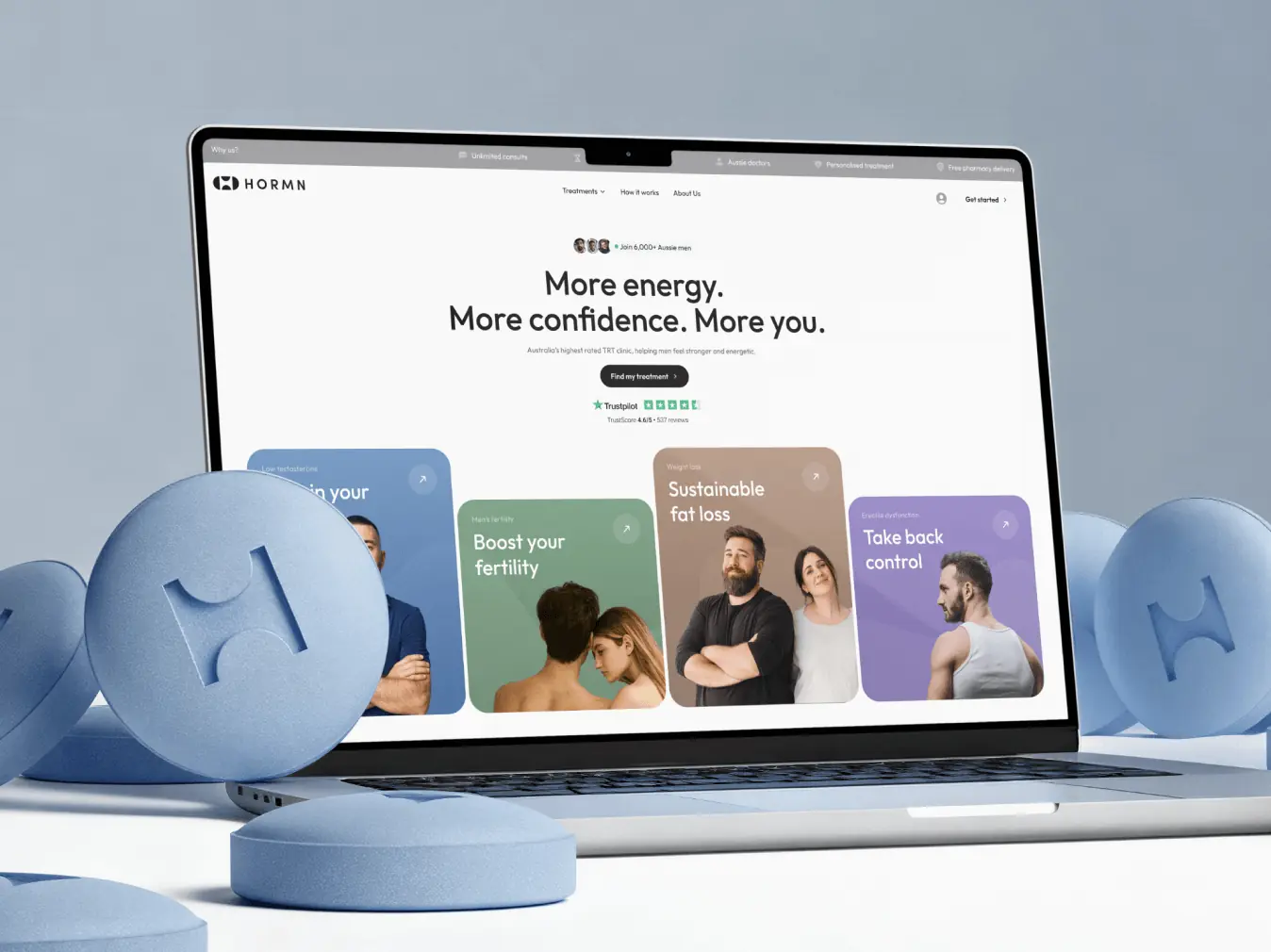
Hormn: Australia’s highest rated TRT Clinic
Hormn LEGACY SYSTEM MIGRATIONAustralia
Tech Stack

Webflow

Timeline

2 months

Results

Clear service positioning

Improved conversion opportunities

Platform-ready foundation

LEGACY SYSTEM MIGRATION

Ash Bryant

CEO & Founder

The design team is truly world-class, excelling in both user interface design and creating solutions optimized for conversion.
#Website redesign #website development
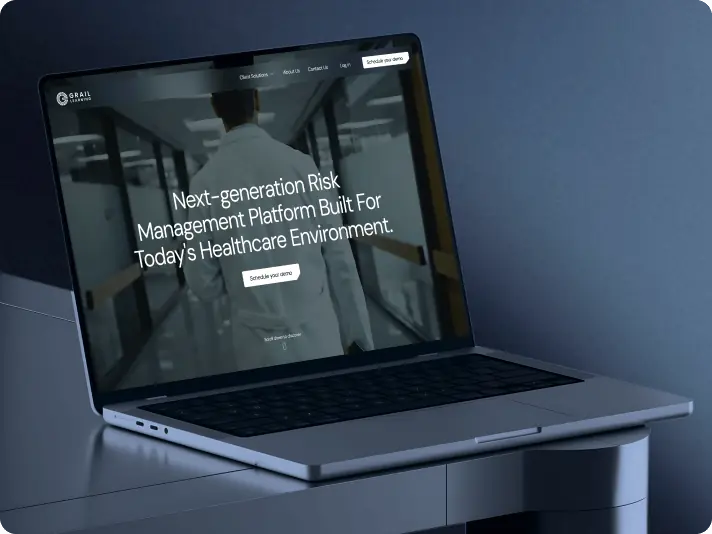
Grail Learning – risk management platform for modern healthcare teams
grail learning LEGACY SYSTEM MIGRATIONUSA
Tech Stack

Webflow

Timeline

4 months

Results

Clear product positioning for healthcare decision-makers

Improved user experience through structured navigation

Stronger trust and conversion readiness

#UX Audit #Product redesign #Web development #Team extension
Isora – optimizing governance, risk & compliance for top institutions
SaltyCloud LEGACY SYSTEM MIGRATIONTexas, USA
Tech Stack

React, Python, AWS

Timeline

12 months, ongoing

Results

2x faster user workflows

50% shorter time-to-market

Nominated for UX Design Award 2024

What Our Clients Say

About our approach to digital product design and development

LEGACY SYSTEM MIGRATION

Craig Tortolani

CPO at Dekryption Labs

LEGACY SYSTEM MIGRATION

Ash Bryant

Founder of Hormn

The design team is truly world-class, excelling in both user interface design and creating solutions optimized for conversion.

LEGACY SYSTEM MIGRATION

KlickEx Team

LEGACY SYSTEM MIGRATION

George Fry

Founder at Neap

The quality of the designs is fantastic. Phenomenon Studio works at speed and is extremely punctual with timelines. They deliver top-notch outcomes with exceptional designs.

LEGACY SYSTEM MIGRATION

Andre Guerra

Co-Owner at RADCAT Design

LEGACY SYSTEM MIGRATION

Kevin Alvarez

Founder & General Partner, Predictive

Phenomenon Studio's ability to translate concepts and rough design mock-ups into high-fidelity assets, designs, and visuals was very impressive. The goal was to maintain simple elegance in the design aesthetic, and they did it very well.

WHAT DRIVES THE COST OF YOUR MIGRATION

Six factors decide your estimate, and technical discovery pins them down
A rehost of a stable app and a full rebuild with HIPAA controls are priced very differently. Our team scopes legacy system migration services to what your system needs, and the estimate lists every factor that moves the price.

What drives your legacy system replacement costs up?

01
Data depth and quality
A two-year-old product can hold messier data than a 20-year-old one.
02
Approach
Rehosting costs less than a full rebuild or a complete replacement.
03
Integrations
Each CRM, ERP, payment, or email connection needs its own mapping.
04
Compliance
HIPAA, SOC 2, or GDPR needs add encryption, audit trails, and reviews.
05
Zero downtime
Running both systems side by side keeps users online, but costs more.
06
UX/UI redesign
A new interface turns the move into a new version of your product.

Request your migration estimate

Share what your system runs on, how much data it holds, and which rules apply. Our account manager sends an itemized estimate for the legacy system modernization services it needs.
LEGACY SYSTEM MIGRATION

HOW TO WORK WITH US

Three ways to get legacy system modernization services from our team
Partner with a full-cycle product design company
We work as your long-term product design and development partner, owning strategy, discovery, design, dev, QA, and scaling iterations. This is not a “project”— it’s your full product team.
Best for
  • Founders who want a senior team thinking beyond sprints
  • Startups scaling beyond MVP and needing deep product ownership
What you get
  • Expert team aligned with your roadmap, KPIs, and business goals
  • Strategic discovery, UX systems
Hire a full-stack dedicated team
We deliver your product from idea to launch—fast and lean. You get execution-ready design and development support with a clear project scope and delivery timeline.
Best for
  • MVPs or feature builds with a defined goal and launch window
  • Pre-seed and seed startups that need to ship without building an in-house team
What you get
  • UI/UX, development, QA, and PM in one dedicated team
  • Clear scope, fixed timeline, efficient delivery
Augment your existing team
We provide developers, designers, and QA engineers to integrate with your team, helping you scale fast while keeping full control over execution.
Best for
  • Startups needing specialized expertise without long-term hiring
  • Seed & Series A+ startups looking to accelerate development
What you get
  • Embedded designers, developers, or product managers to fill skill gaps
  • Faster product delivery without the hiring delays & overhead costs
Benefits
Why teams trust us with legacy system data migration
Design that meets regulation
HIPAA-compliant and GDPR-aligned expertise for Healthcare and beyond.

Since 2019, we’ve built HIPAA-compliant and GDPR-aligned delivery practices and earned industry recognition, delivering hundreds of products in Healthcare, SaaS, FinTech, and EdTech — where compliance and UX go hand in hand.

Design that lasts beyond trends
We don’t chase fads. We build digital products that stay relevant.

Our work looks sharp today and stays usable tomorrow — designed around long-term value, not short-term gimmicks. Scalable systems, brand consistency, and smart UX that grows with your product.

Design that’s developer-ready
We design for implementation, not handoff.

Every component is built with devs in mind: design tokens, accessibility, reusability, and real-world constraints. We collaborate with your team, reuse existing elements, and stay involved until everything’s live.

Local presence. Global delivery
Work directly with the doers — not a chain of account managers.

Collaborate with UX strategists in North America, while our senior design and development teams in Europe deliver fast, consistent results. We integrate into your tools and workflow, working as part of your team — from a single embedded designer to a full product squad.

AWARD-WINNING PRODUCT DESIGN, RECOGNIZED WORLDWIDE

Wins that inspire us forward
LEGACY SYSTEM MIGRATION

Top product design company 2024

LEGACY SYSTEM MIGRATION

One of Dribbble’s top rated design agencies

LEGACY SYSTEM MIGRATION

Red Dot Award 2026 winner in the Apps category

LEGACY SYSTEM MIGRATION

Nominations for several projects across different categories

LEGACY SYSTEM MIGRATION

Site of the Day & honorable mentions

40+
others

Related Services

Services that pair well with your migration
UX audit

Identify usability bottlenecks, improve engagement, and optimize for conversions.

Technical workshop

Validate your tech stack, architecture, and scalability path.

Blockchain development

Secure and scalable blockchain-based applications, including smart contracts and DeFi solutions.

Frequently Asked Questions

Questions already
answered
01
How do you modernize a legacy system?

We start by finding out what the system does today, and only then decide what to change. In a technical workshop, our engineers review the architecture, data, infrastructure, and security, and record baseline speed, uptime, and costs. An AI agent built on our own templates maps modules, dependencies, and the data model, while a tech lead checks every finding against the code. This review takes about 40 hours, compared with 80 to 140 hours done by hand.

The findings tell us which parts can move as they are, which need work, and which have to be rewritten. Most projects end up with a mix of legacy system modernization strategies: a stable billing module may only need new hosting, while the core may need a new data model.

From there, the work runs in two-week sprints. New services go live behind feature flags or a compatible API, so the old system keeps serving customers. Data moves through scripted jobs that we rehearse on anonymized copies until both systems return the same results.

The final switch happens in a short, planned window with a rollback ready. After launch, dashboards and alerts watch every service, and your team gets the docs and runbooks to work with it.

02
What is the best legacy system migration strategy?

The best one is the one your code, data, and business can carry, and we can only name it after technical discovery. We weigh what we find against your priorities, budget, timeline, the risk you can accept, and whether the product must keep running during the move.

A full replacement makes sense when the system was poorly built from the start, when the stack is so outdated that new features can’t be added, when patching costs more than rebuilding, or when security and compliance rules can’t be met without changing the architecture. The key question here is whether your business can slow down new features for a while, because the team’s time moves from the roadmap to the rewrite.

Modernizing in parts makes more sense when the core architecture is sound and the problems are limited to specific modules, the UI, or the infrastructure. It also fits products that are actively growing and can’t stop releasing, and systems behind critical operations where one big switch carries too much risk. In that case, we replace components one by one, with new parts running beside the old ones behind feature flags or compatible APIs, until the old system can be retired.

Either way, you get the reasoning in writing, with the trade-offs of each option, so the decision stays with your product owner.

03
How long does a typical migration project take?

Moving a legacy system to a new architecture takes anywhere from 2 to 10 months of our team’s work. We’ve broken down the factors, process, and costs behind that range in our blog on legacy migration timelines. Where your project lands depends less on its size than you might expect: one company’s “small” system holds ten million lines of code, while another’s large one is mostly simple records.

The biggest factor is how deep and messy the data is. Hidden relationships, duplicates, inconsistent values, and business rules stored in the data itself tend to surface only once the data migration from legacy system to new system is underway. In our experience, this is the most common cause of delays and budget overruns. We plan for it with a dedicated data analysis phase in discovery, run on an anonymized copy of your production data. We agree on cleanup rules with you before the plan is final, and we run full-size dry runs in the first weeks, so problems appear early. Every estimate also includes a time buffer for data findings.

The second factor is decision speed. A migration raises questions only your side can answer: which old records to keep or archive, how to treat inconsistent entries, and what is acceptable during the switch. We agree on one decision-maker at kickoff and hold regular syncs, so open questions get answered before they block development.

You get a timeline with phases after technical discovery, once we know the true size of the work.

04
What tools are best for legacy to cloud migration?

The right tools depend on your product, so we choose them after reviewing your system and the result you want. There is no universal stack, and we don’t push one.

On recent projects, a typical migration of a legacy system to cloud has run on AWS. Services run as containers on ECS Fargate across several availability zones in private subnets. Data lives in Aurora PostgreSQL with ElastiCache Redis for caching, and files go to S3. CloudFront and an application load balancer handle incoming traffic, with AWS WAF rules for rate limits and common attacks. Secrets stay in Secrets Manager, and sensitive fields are encrypted with KMS.

We describe the whole setup as code with OpenTofu, in separate accounts for dev, stage, and production. That makes environments repeatable and lets you see exactly how your infrastructure is built. For visibility after launch, we set up Grafana dashboards for requests, error rates, and response times, CloudWatch alarms, and centralized logs with tracing by request, tenant, and user.

The tools matter less than the order of work. We stand up the new production environment in parallel and test it fully before any user reaches it. Then we move data in rehearsed runs and switch DNS with a rollback plan in place. If AWS isn’t the right fit for your product or your compliance needs, we say so during discovery and plan around the platform that is.

05
What are the main approaches to legacy system migration?

There are five, and most projects combine two or three of them.

1. Rehosting moves the system to new infrastructure without code changes. It fits stable applications whose problems are hosting costs, outages, or an insecure environment.

2. Replatforming moves the system onto managed cloud services, such as databases, containers, and storage, with small code changes. Your team spends less time on servers and more on the product.

3. Refactoring improves the existing code step by step while the product stays live. We use it when the architecture is sound but years of shortcuts slow every release. On one frontend, we moved screens to a new component library one at a time behind feature flags, and feature work never paused.

4. Rebuilding puts the system on a new architecture and data model while keeping its features and APIs. It fits systems whose design limits speed, growth, or compliance. Parity tests confirm the new system answers exactly like the old one before anyone switches over.

5. Full replacement retires the old system in favor of a new product or an off-the-shelf tool, when maintaining or rebuilding it no longer pays off.

In a technical workshop, we check each part of your system separately. The infrastructure may only need rehosting, the frontend refactoring, and the core a rebuild. You get one plan that names the approach for each part, with the reasons behind it.

06
What integration challenges are specific to legacy system migration projects?

The hardest ones come from connections no one wrote down. An old system often has no API, or only part of one, so CRM, ERP, accounting, and payment tools get linked through manual exports, spreadsheets, and scripts someone set up years ago. Business rules may be hardcoded, so changing a price or a workflow needs a developer. And without events, webhooks, or queues, the system can’t trigger “when X happens, do Y” automations.

During the data migration from legacy to new system, these gaps turn into risks. A partner integration may depend on an endpoint your team didn’t know was in use. A third-party analytics, email, or AI service may be receiving sensitive data without a proper agreement. A closed SaaS or no-code platform may not give access to the parts you need to move.

We map every integration in technical discovery, including the unofficial ones, and check which data each one sends and receives. Your new system keeps backward-compatible APIs, so existing apps and partner integrations keep calling the endpoints they know. We then add the APIs, webhooks, and queues the old system lacked, and review third-party services for data agreements such as BAAs. Where the new interface needs data an old API can’t provide, we document the gap and use a fallback until the backend catches up.

07
What is the recommended sequence for a large-scale legacy system migration?

We run large migrations in seven stages, and the order exists to keep risk low at every step.

First comes technical discovery: architecture, data, infrastructure, security, and baseline metrics. Next, we design the target architecture and data model from scratch and choose an approach for each module. Then we set up dev and stage environments that mirror production as code, loaded with fully anonymized data, and plan two-week sprints with your product owner.

Development follows, with new parts running beside the old system behind feature flags or compatible APIs. In parallel, we script the data migration from legacy system to new system and rehearse it on full-size copies. Each dry run ends with parity checks and a go/no-go decision. Testing then compares both systems at the API and database level and adds load tests and QA on a production-like copy.

For the switch, we deploy the new production environment in parallel and verify it by IP address before any user reaches it. Based on your traffic data, we agree on a one- to two-hour window at the lowest load and tell users in advance. The old system goes into maintenance mode, the final migration runs, DNS moves to the new system, and post-migration checks follow, with a rollback plan ready the whole time.

Fully zero downtime is possible too. It needs both systems running in parallel with continuous data sync and a gradual move by tenant, module, or feature flag, which raises cost.