


Internal invoicing system — a production billing platform built in 3 months by an AI-assisted team
Client
Phenomenon Studio (internal product)
 USA
USA
Services
#Web app design
#Web app development
Technologies
 React
 TypeScript
 TanStack
 Tailwind CSS
 Zod
The spreadsheets had grown with the studio: every new client, entity or payment method added tabs, formulas whose connections only a few people knew, and more people editing at once. The breaking point came when one failure couldn’t be traced at all — the team rolled back to an earlier version and re-entered invoices by hand.
The studio needed one system for clients, projects, invoices, bonuses and cash flow, with repetitive steps automated and historical records carried over. It was also a deliberate test of our AI-assisted workflow on the least forgiving kind of product. In finance, a calculation that looks right but isn’t costs real money — so AI could speed up the work, but every rule had to be specified, checked and approved by people.
The payments table carried years of practice: rules nobody had written down, workarounds for formulas that didn’t load, and checks that lived in people’s heads. Before any screen existed, we needed that process on paper — who enters what, who checks it, and where it breaks.
The result was one foundation for design and development: a documented as-is process, a requirements specification with product-wide UX principles, and user flows for 5 roles.
Stages
- Process analysis
- Requirements & SRS
- UX principles
- User flow
Interviewed everyone involved in invoicing and payroll: PMs and account managers who entered data, billing managers who issued invoices and chased payments, the admin who checked figures for cash flow, and the people handling salary payouts. With a Business Analyst, we then mapped the payments table tab by tab against what they described.
The analysis put numbers on the cost — about 20 minutes per invoice, up to 5 days of consolidation and 2 more of checks every month — and named the failure points: cascading formulas, unreliable payment statuses and edits to closed periods. These became problems the system had to close, not features to add.
Translated the interviews and the as-is map into a Software Requirements Specification. It fixed the business logic before design and development started, so everyone built from one agreed source. Written by the project’s Business Analyst, the SRS runs 74 pages: 11 functional modules plus Settings, each with user stories, acceptance criteria and validation rules, and a permission matrix of 13 features across 5 roles. It spelled out what the spreadsheet could never enforce — who can change what, and when a period is closed for good.
The same acceptance criteria became the yardstick for everything AI produced later: generated code was checked against the specification, not against someone’s memory of how billing works.

Derived 23 UX principles from the context of the whole product before the first screen was built — foundational decisions such as predefined-first forms, status as the primary signal and view-first editing for financial records. Each was written once with do and don’t examples and added to the project documentation. Every screen, generated or hand-built, was then reviewed against one written standard — so design decisions stayed with the designer, not with the model’s defaults.
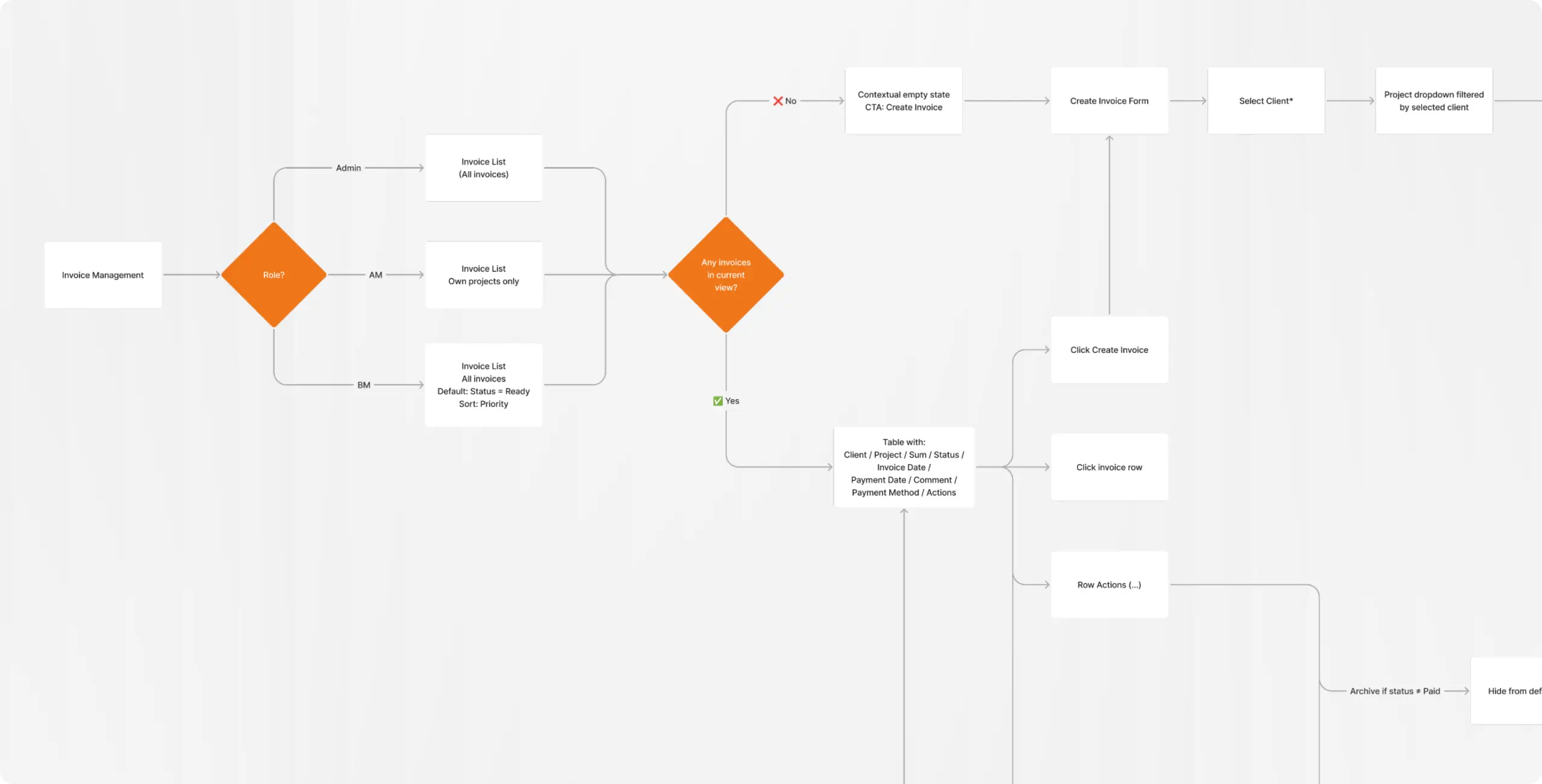
Mapped user flows for Admin, Billing Manager, Account Manager, PM and SDR while the BA was finalizing documentation, then cross-referenced every flow with the requirements. Running both tracks in parallel shortened research and caught mismatches early — a flow with no matching requirement, or a requirement no role could reach. The finalized flows for all roles became the direct input for concept development.
An internal tool rarely justifies a custom component library, and an AI-assisted workflow works best on a foundation the model already knows well. We chose shadcn/ui as the base and customized only where the visual direction or the financial context required it.
The time saved on components went where internal finance tools usually fall short: forms that prevent errors instead of reporting them, statuses that pair color with text so they can’t be misread, and actions that can’t be undone by accident.
Stages
- Design system
- UI design
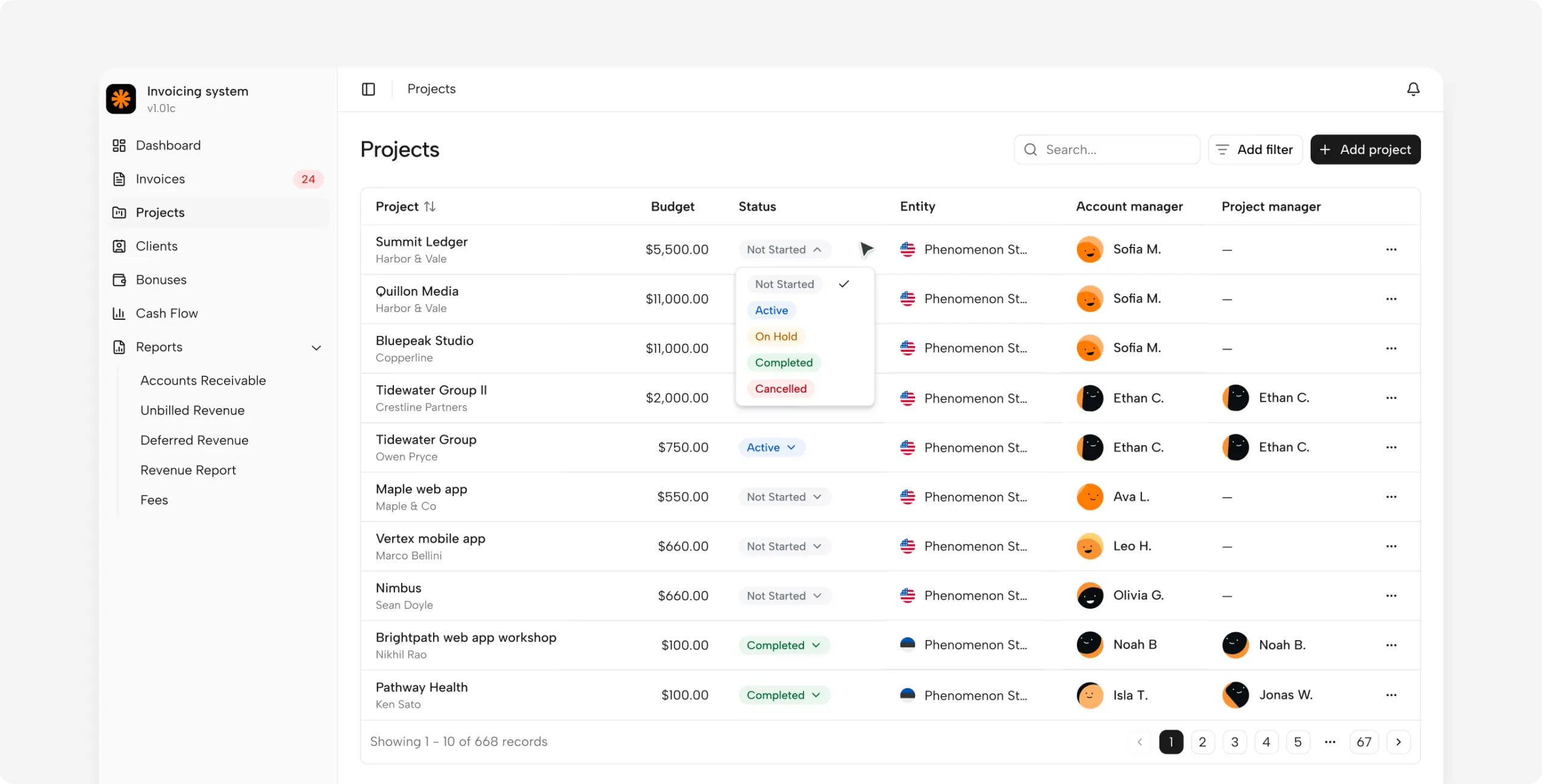
Set up the design system foundations on top of shadcn/ui instead of building a library from scratch: color, typography, spacing and radius tokens, plus targeted customizations of the components the product relies on most. The visual direction was set at this level — a neutral, data-first base where color is reserved for statuses and actions, so attention goes to the numbers. One status badge component carries both color and text on every screen, a direct answer to the false “paid” statuses of the old table.
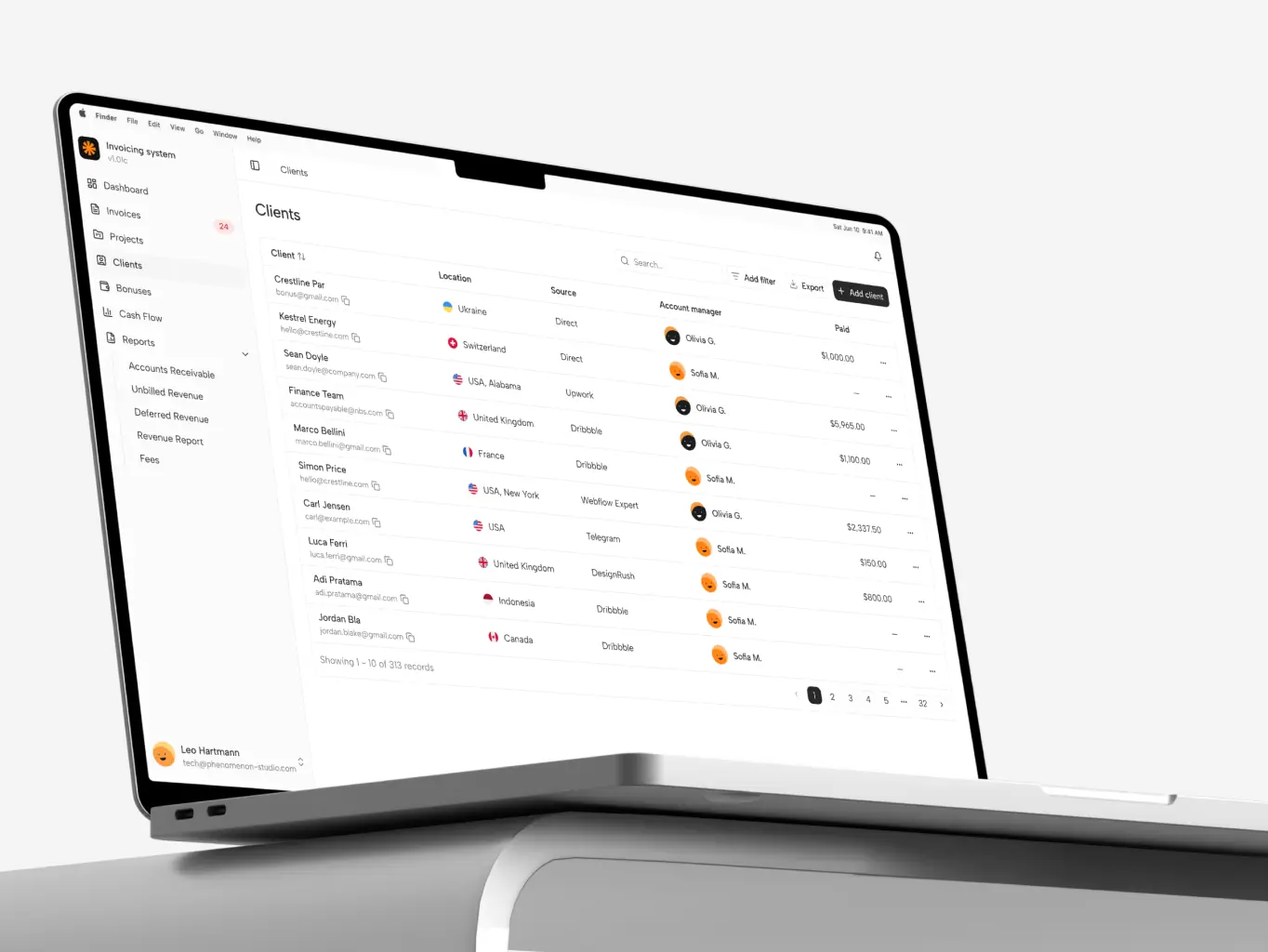
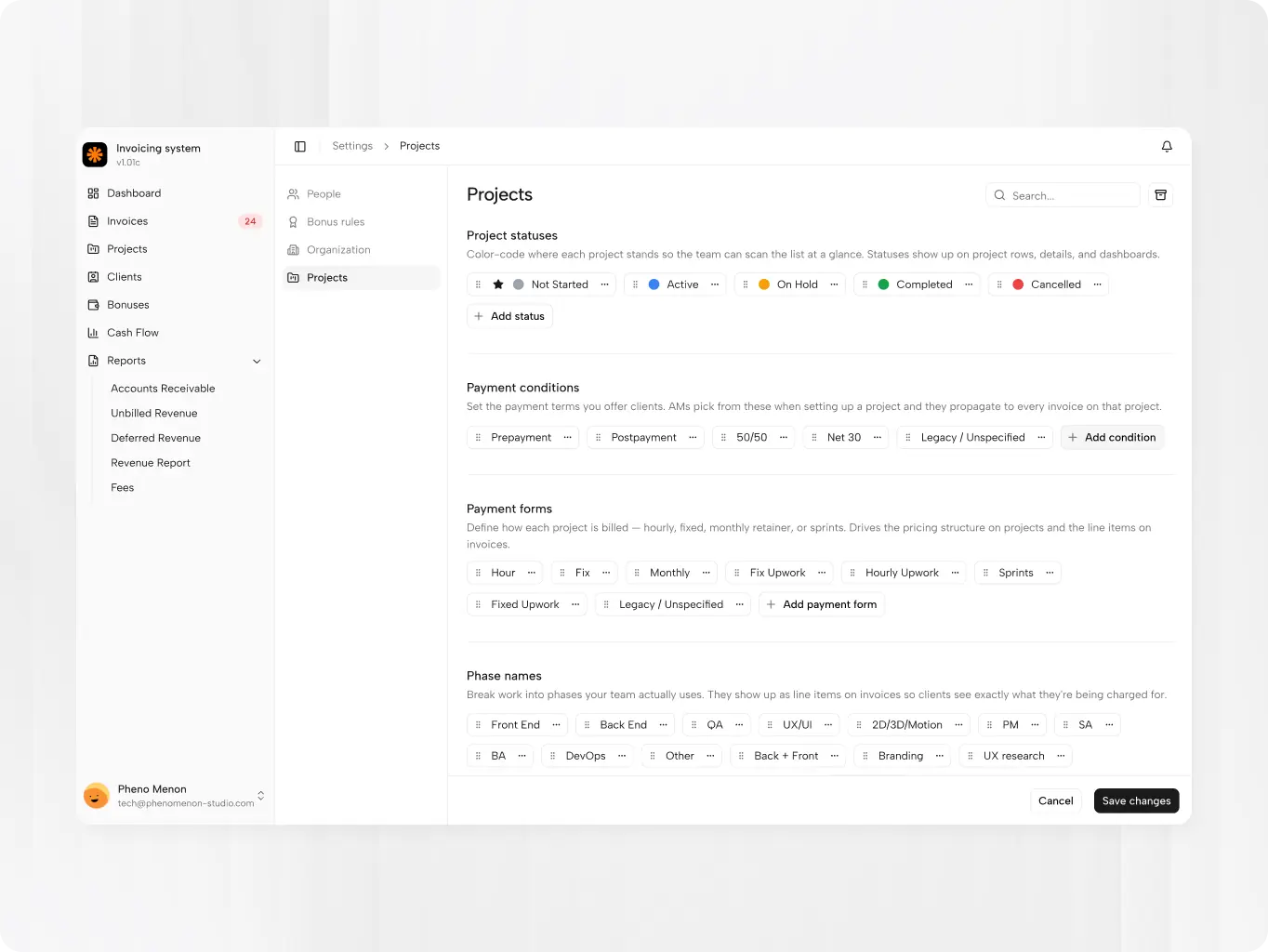
Built the interface directly in code. Working from the approved user flows and the SRS, the designer used Claude Code to build a deployed prototype that ran the real business logic and calculations on static data. Claude Code produced the code; the designer decided what each screen asks for, shows and prevents, and reviewed every result against the 23 UX principles. Every flow was tested in a working interface before a line of back-end code was written.
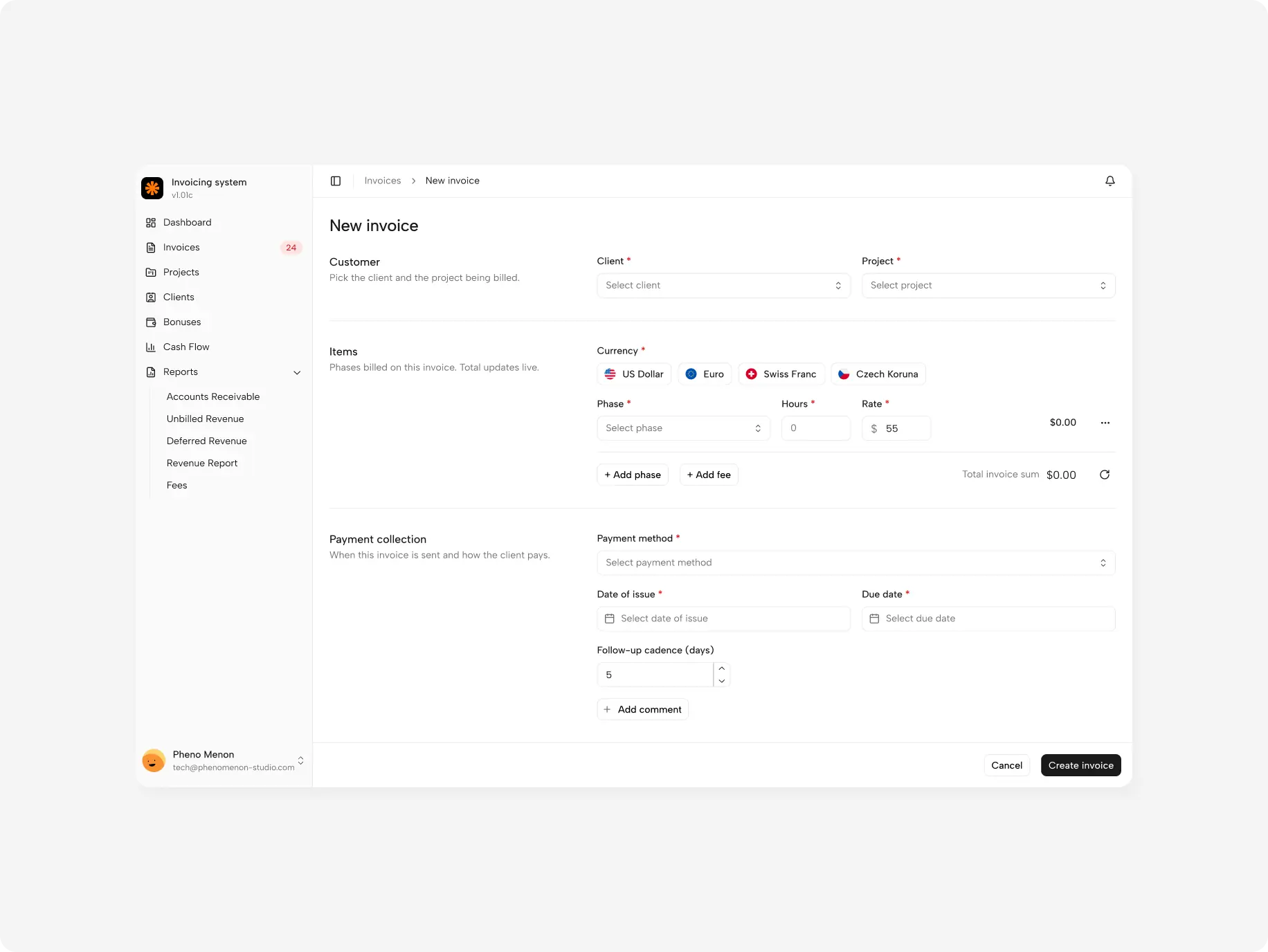
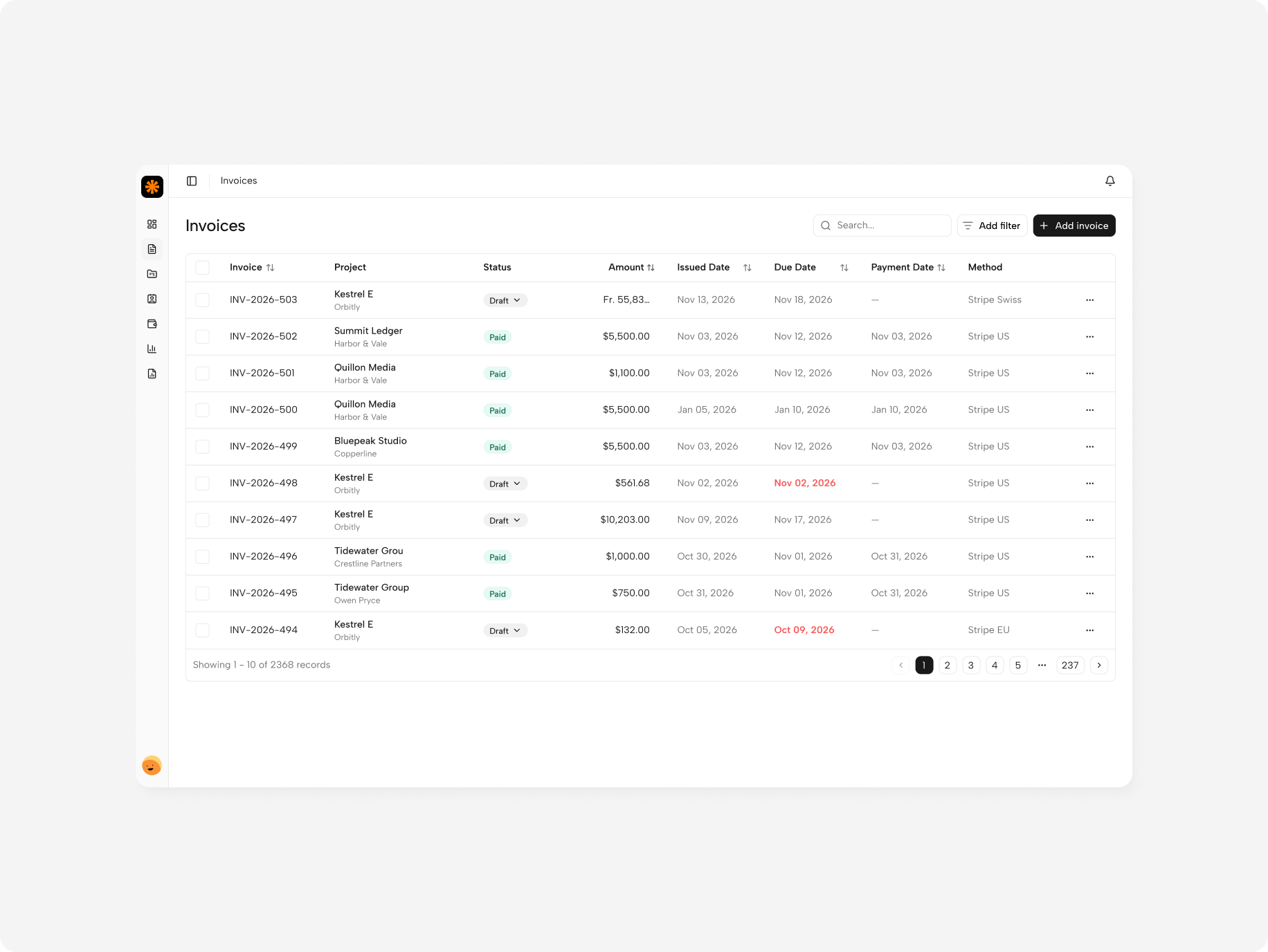
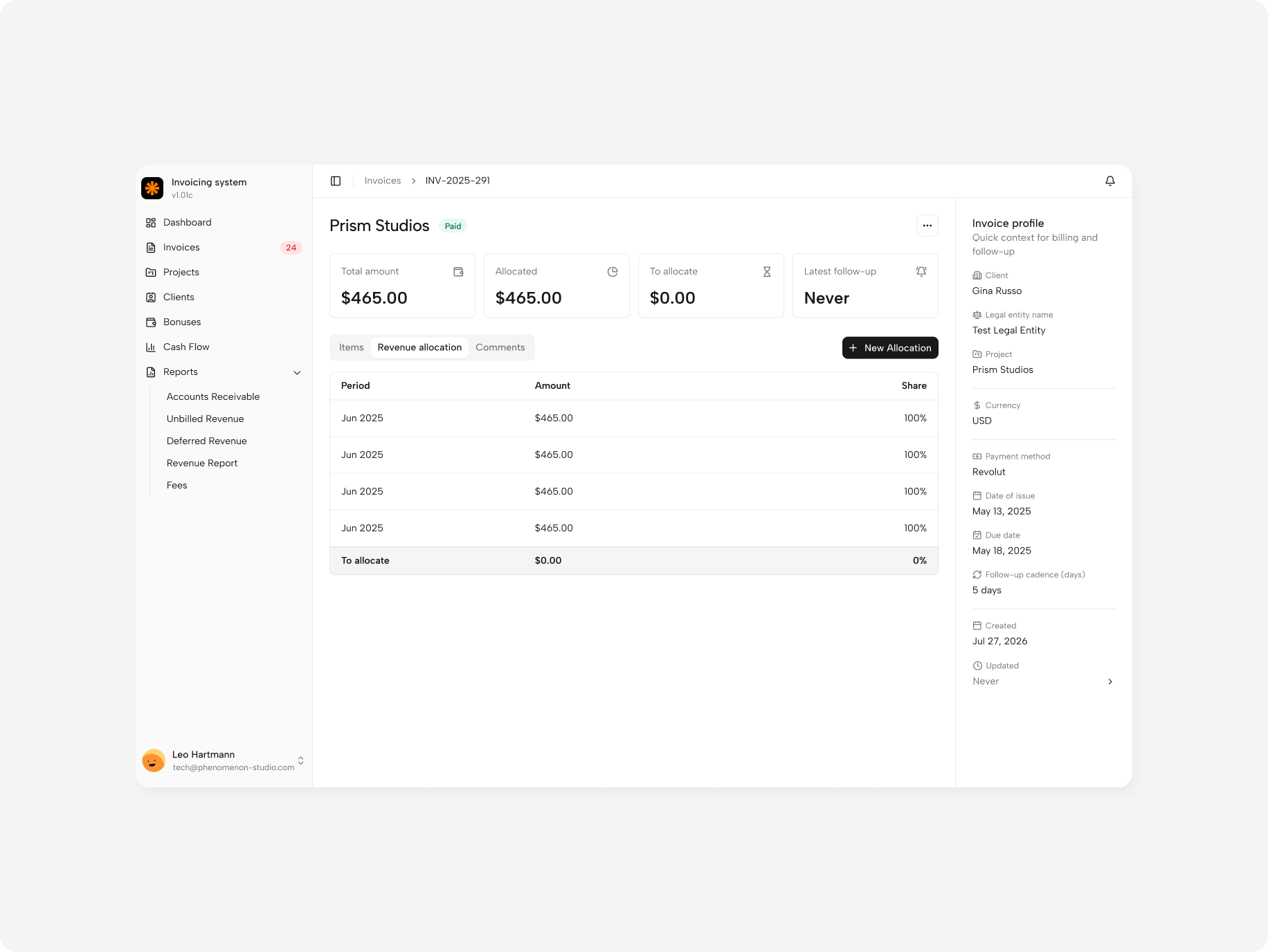
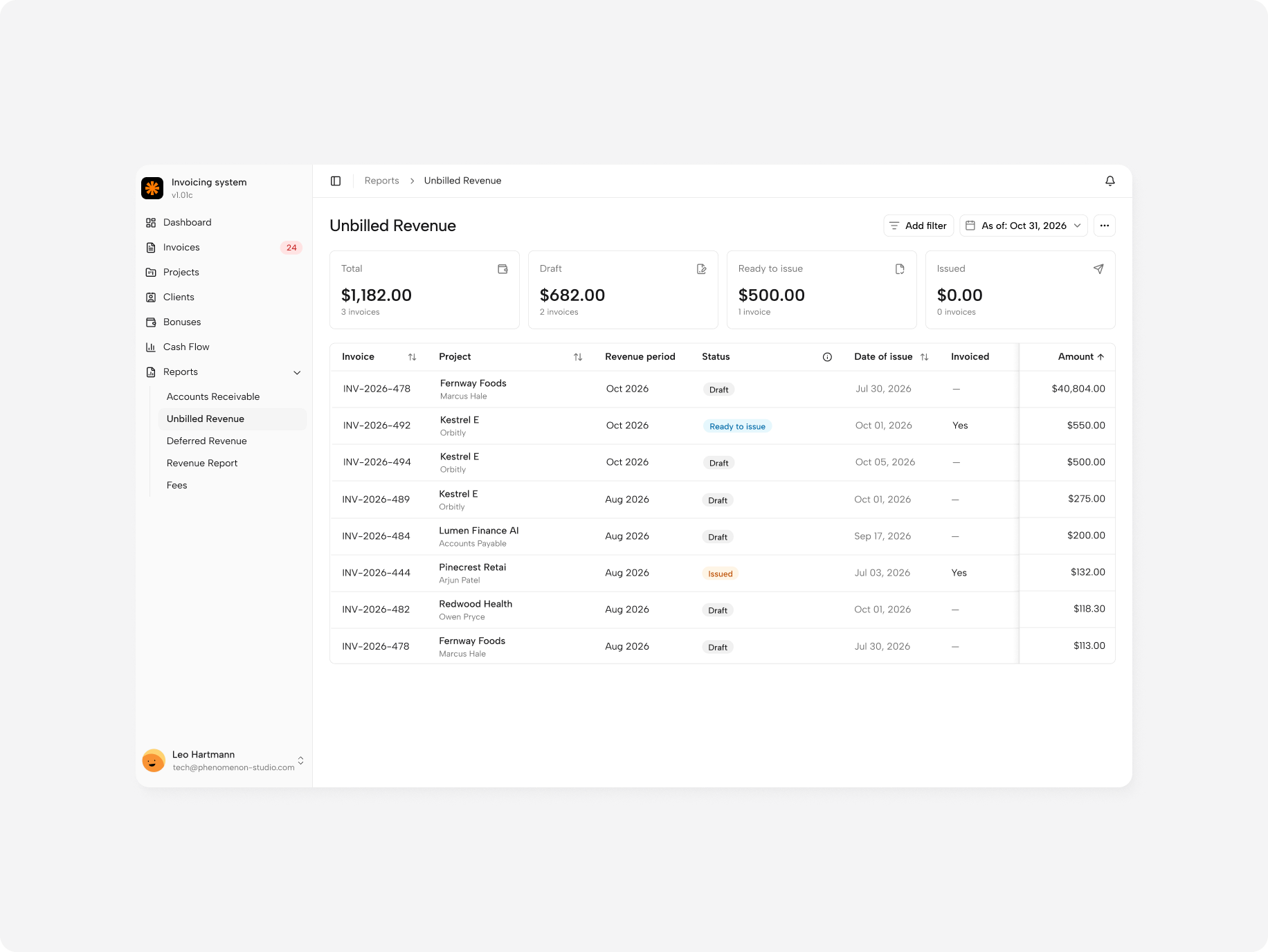
Invoice builder with project defaults
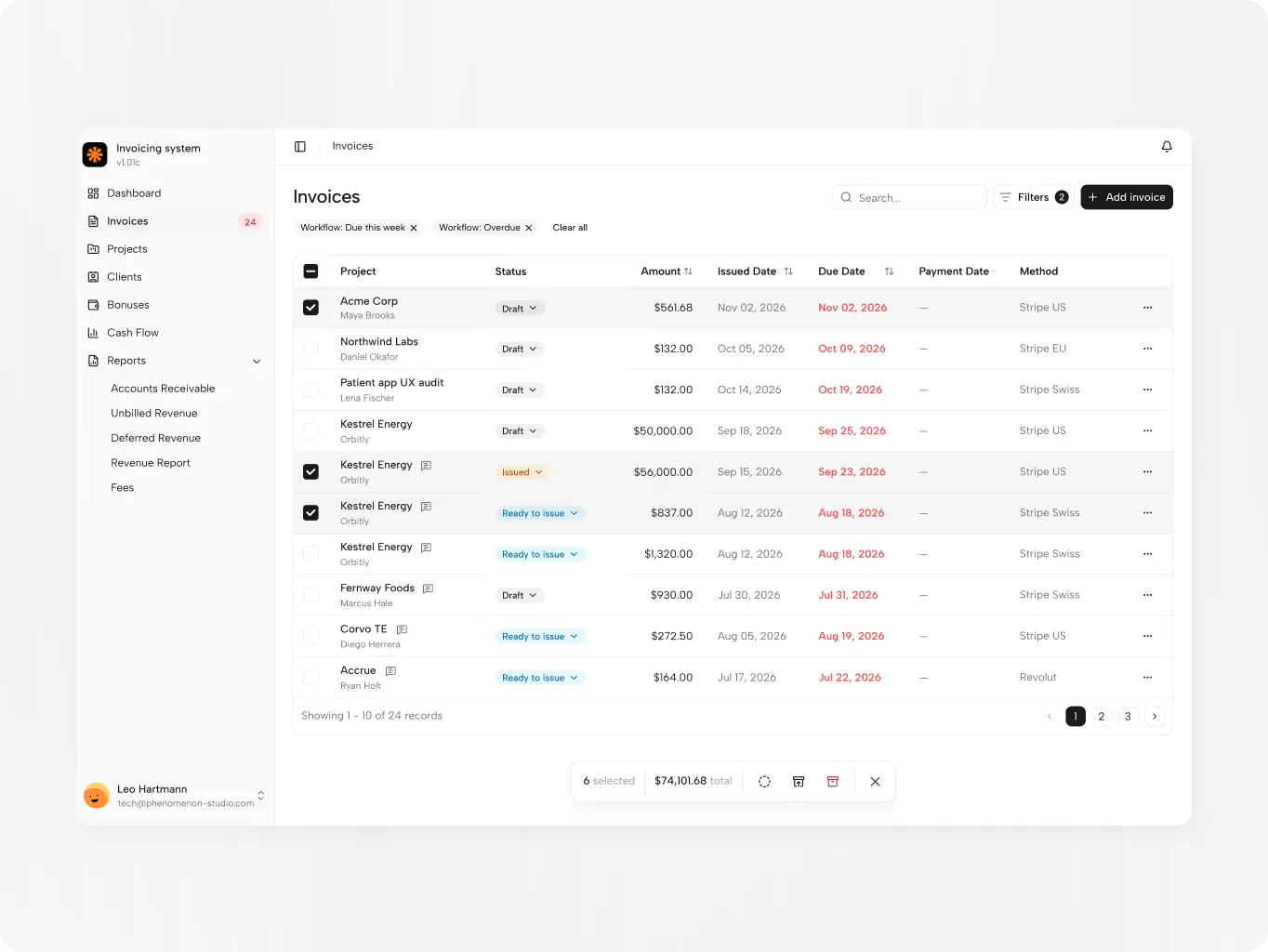
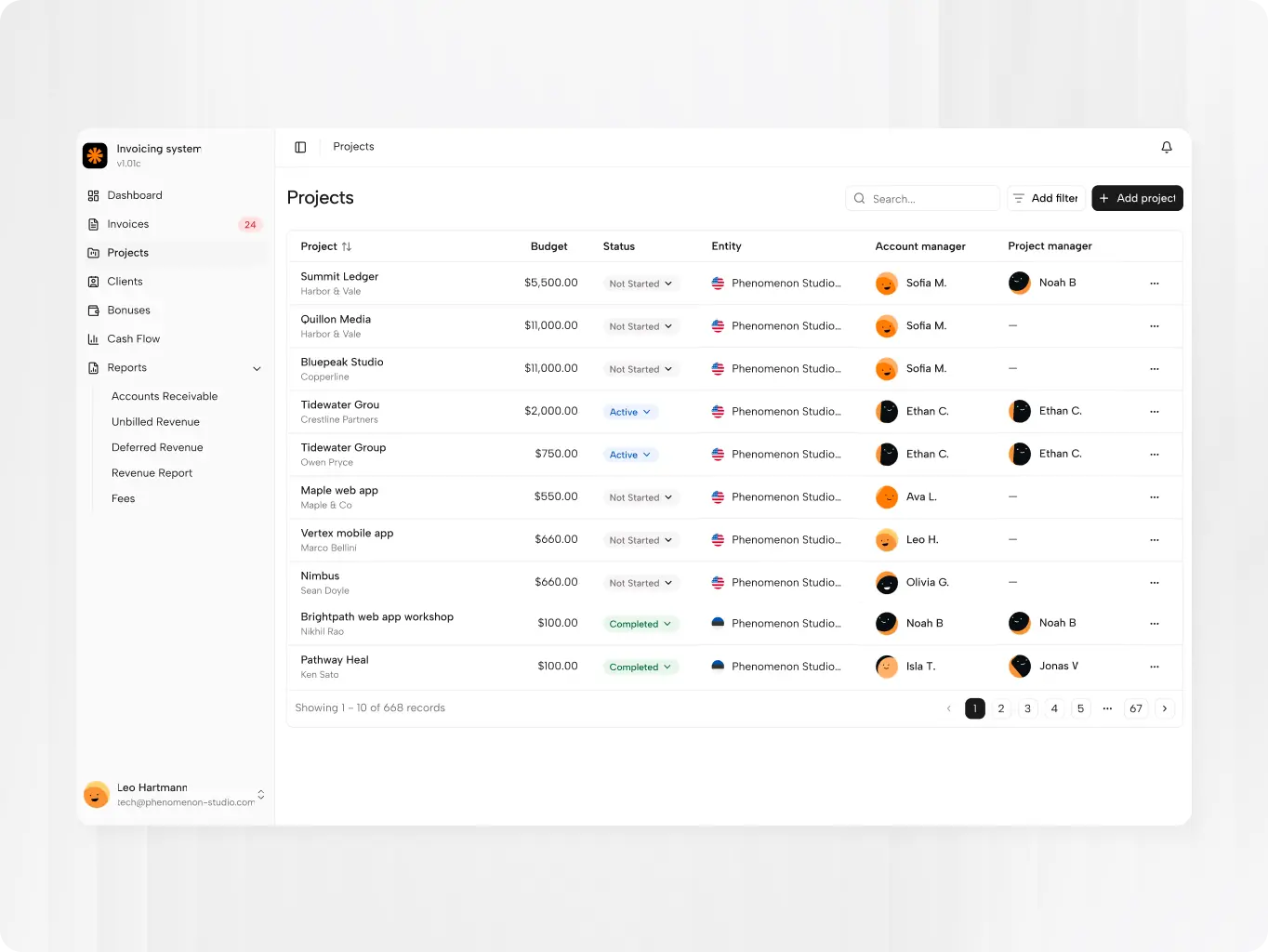
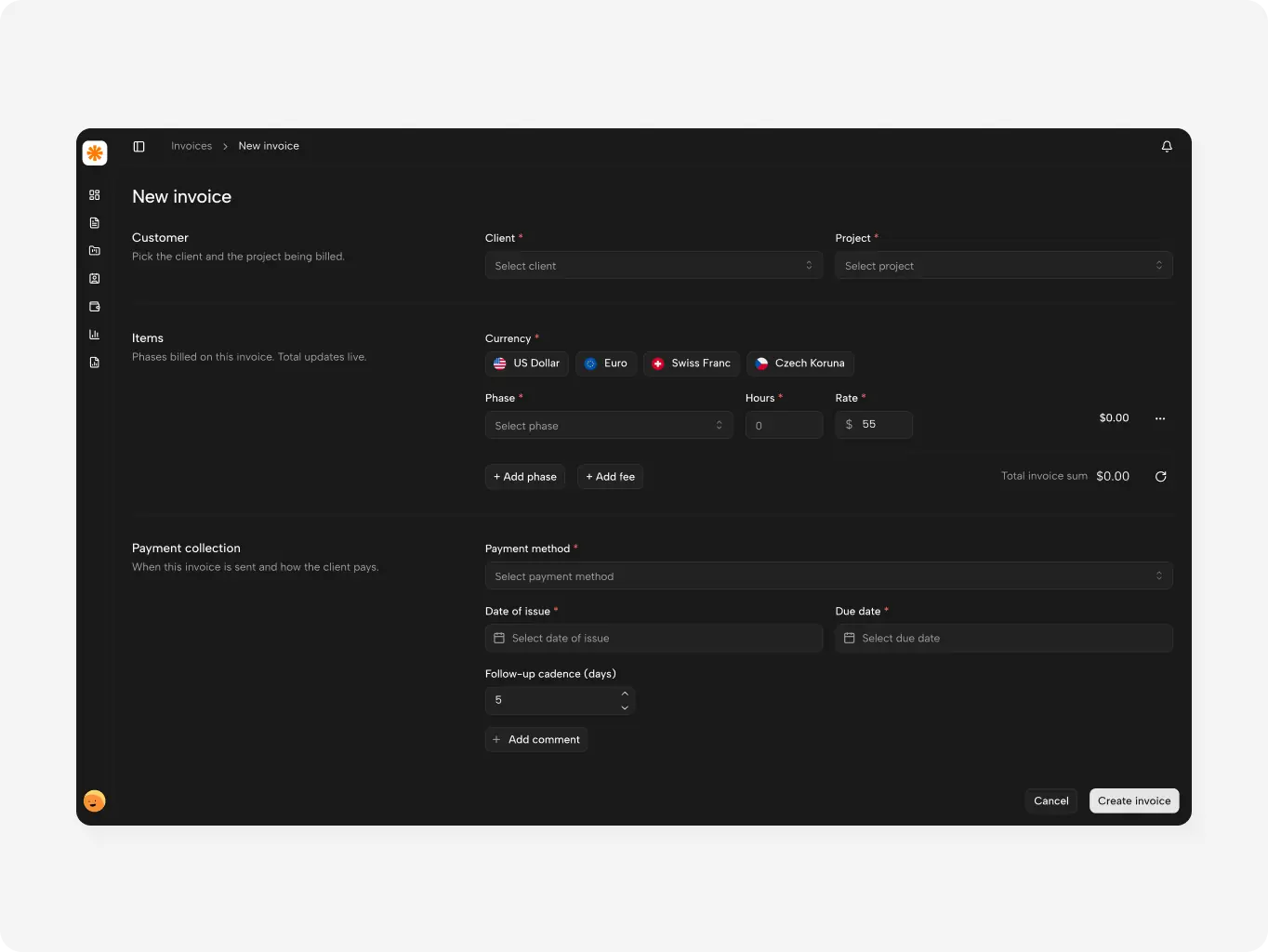
An invoice can be started from a client, a project or the invoice list. Rates, payment method and client data come from the project, so account managers add hours and the period instead of rebuilding every line — which halved the roughly 20 minutes each invoice used to take.
Invoice lifecycle
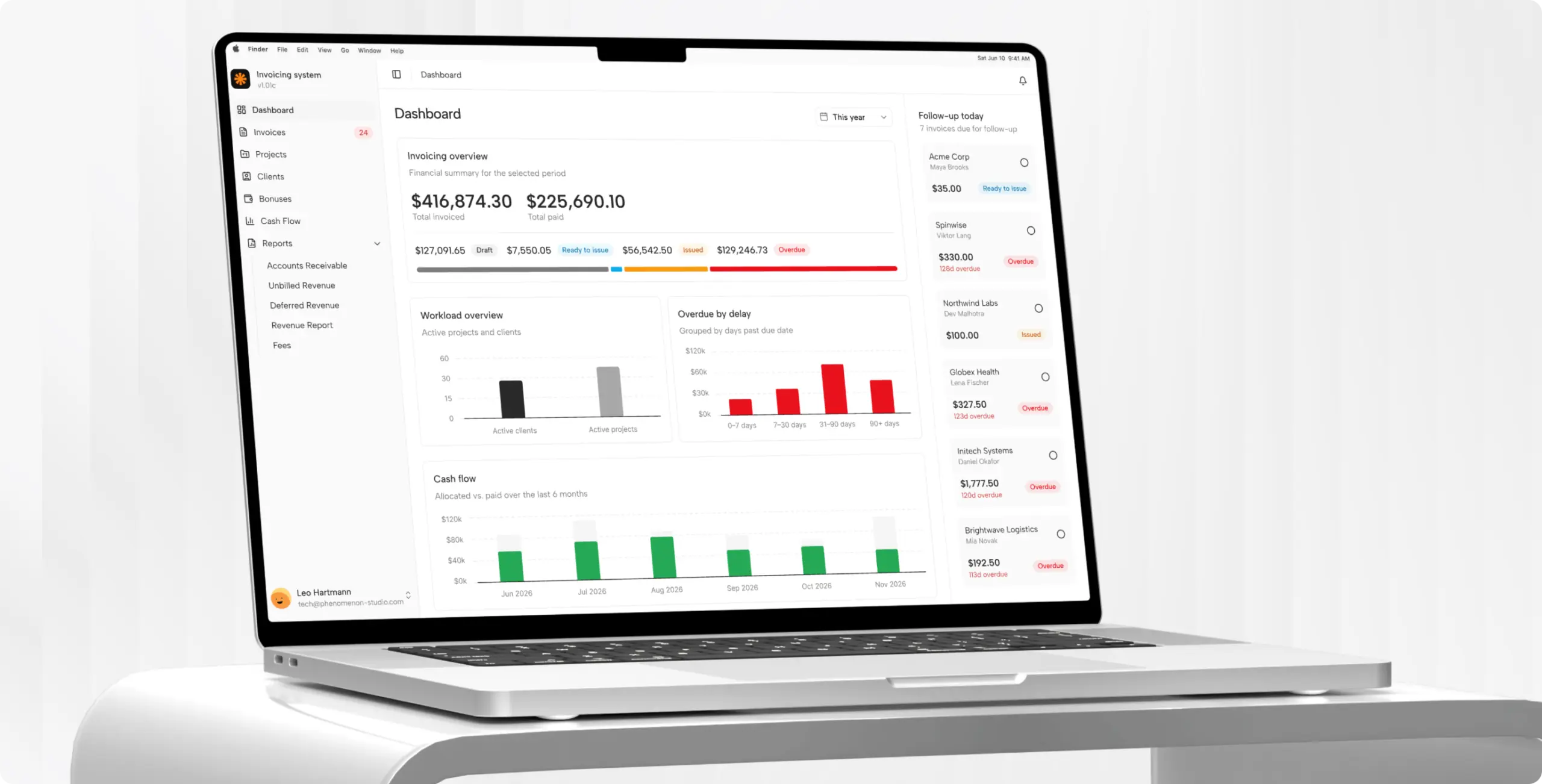
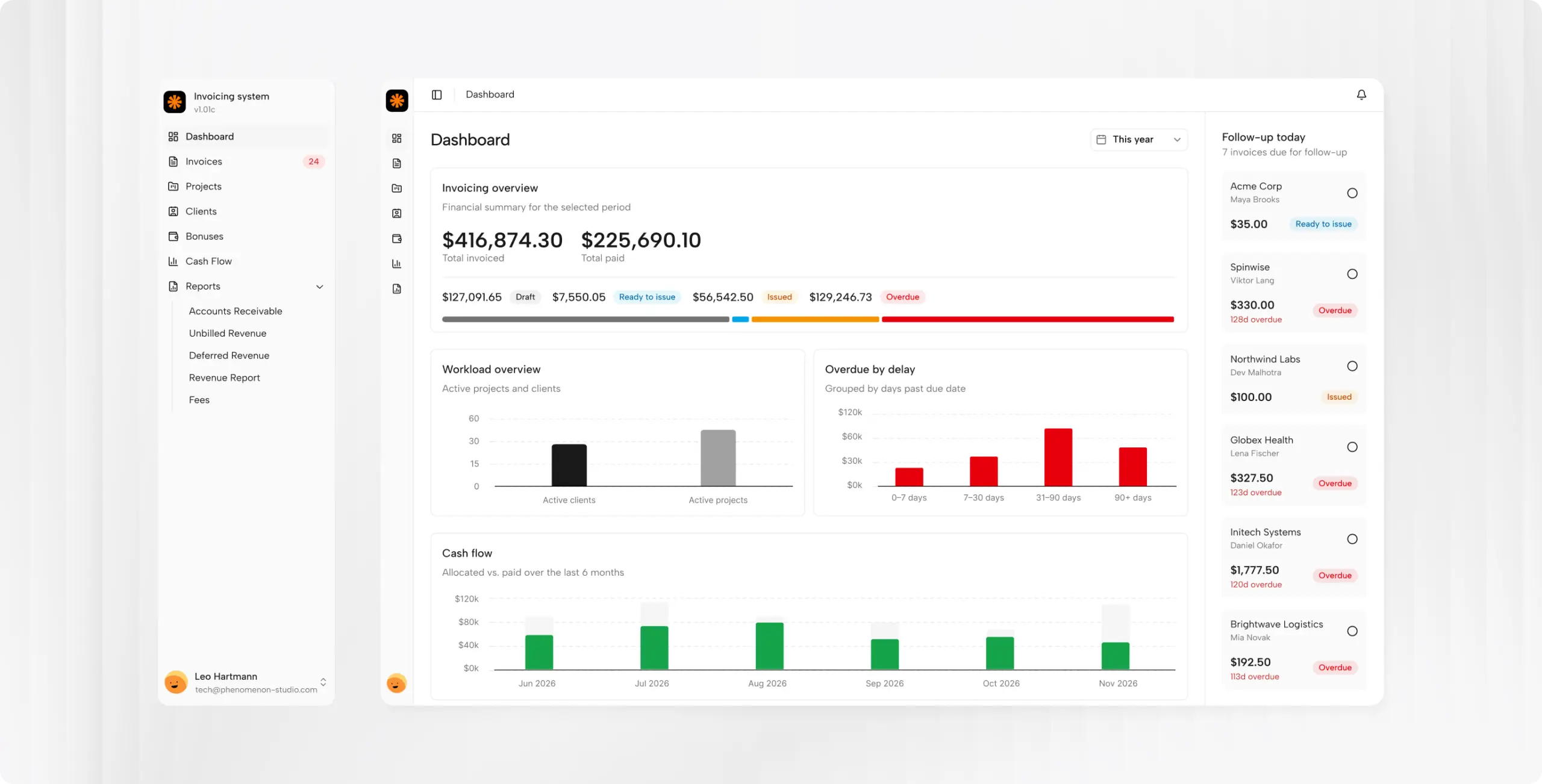
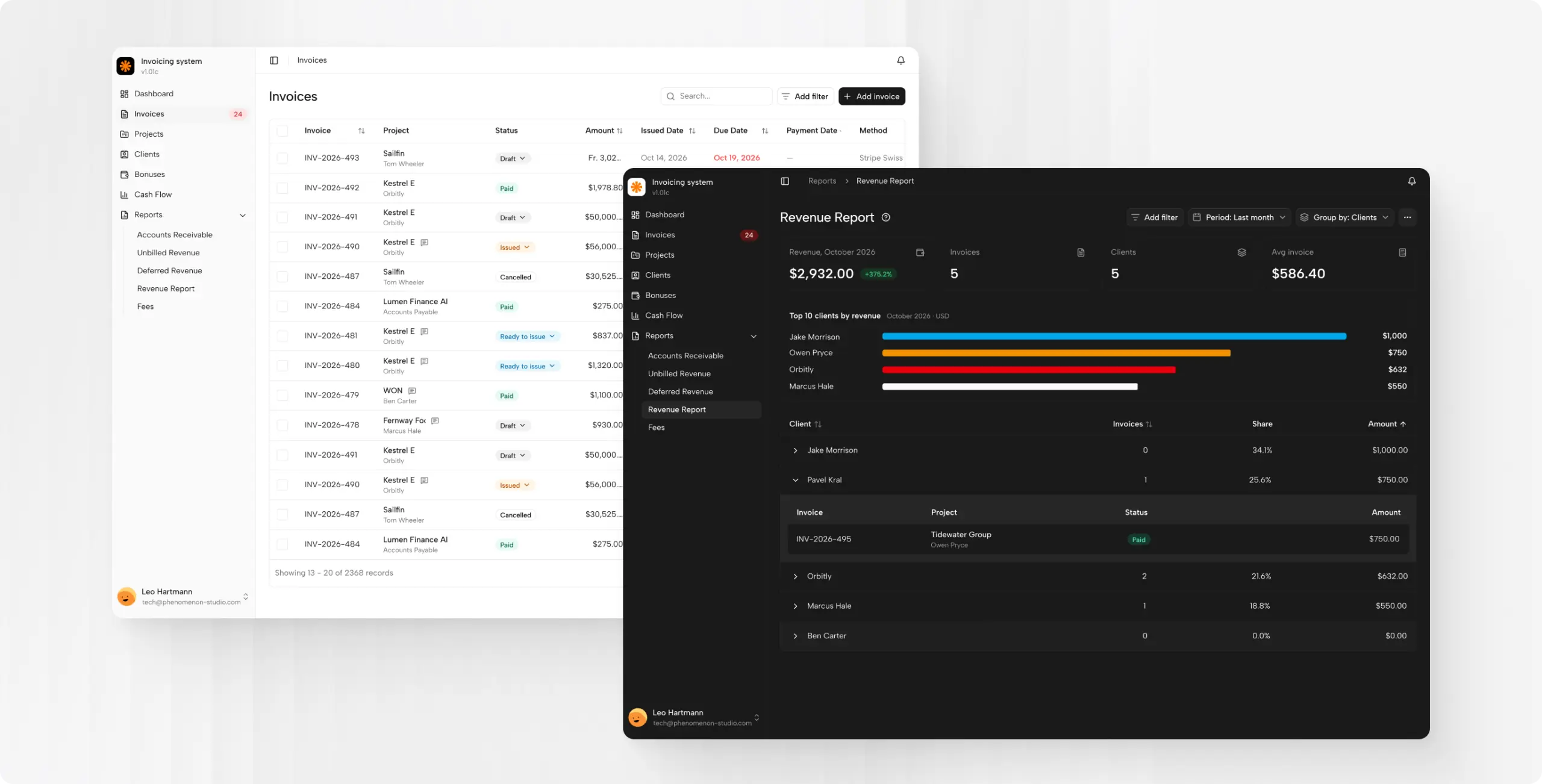
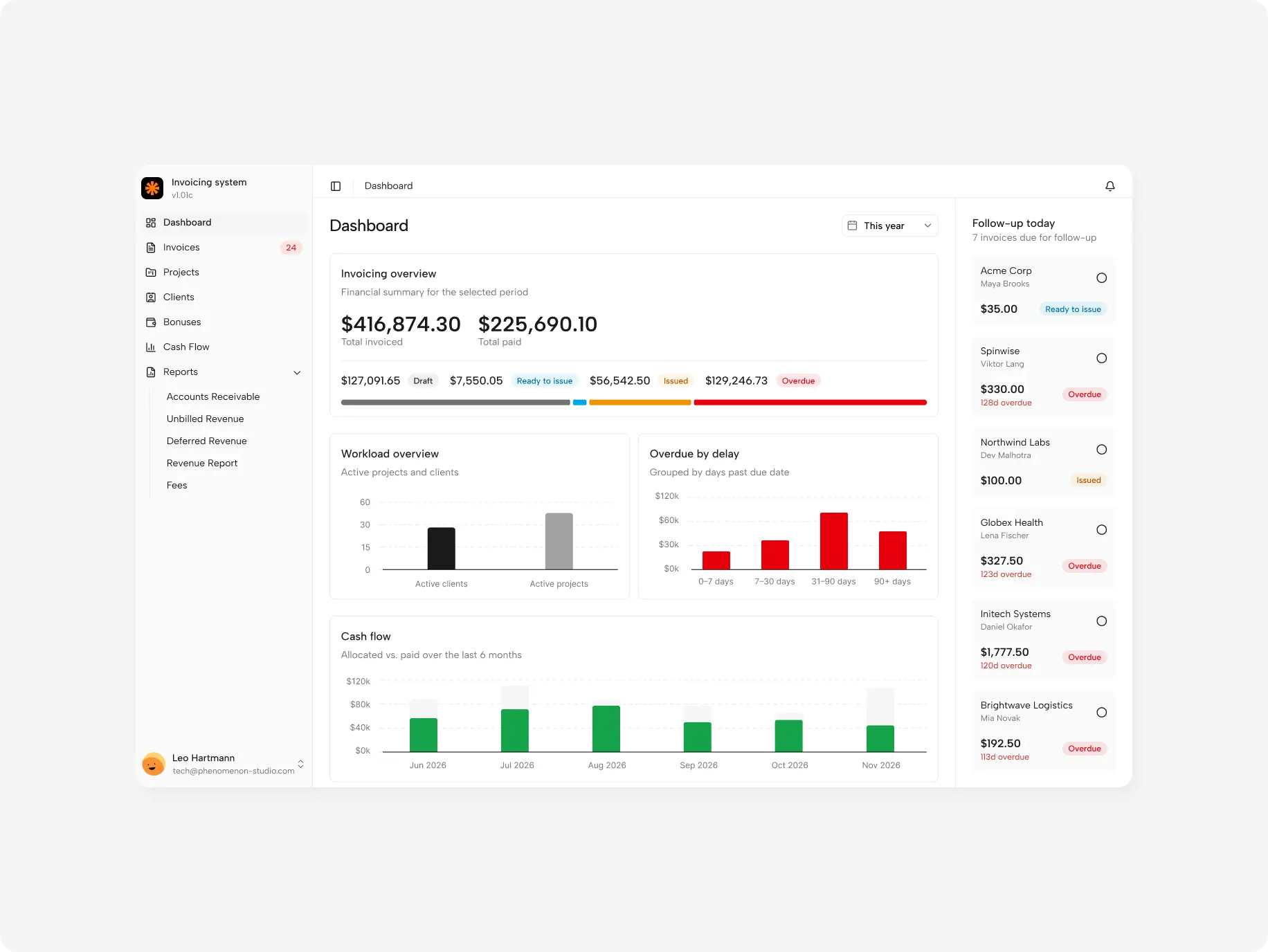
Invoices move from Draft to Ready to Issue, Issued and Paid, with Overdue calculated automatically. Status counts show billing managers how many invoices wait at each step, and comments keep client emails and notes on the invoice itself — replacing the Slack channel that used to collect them.
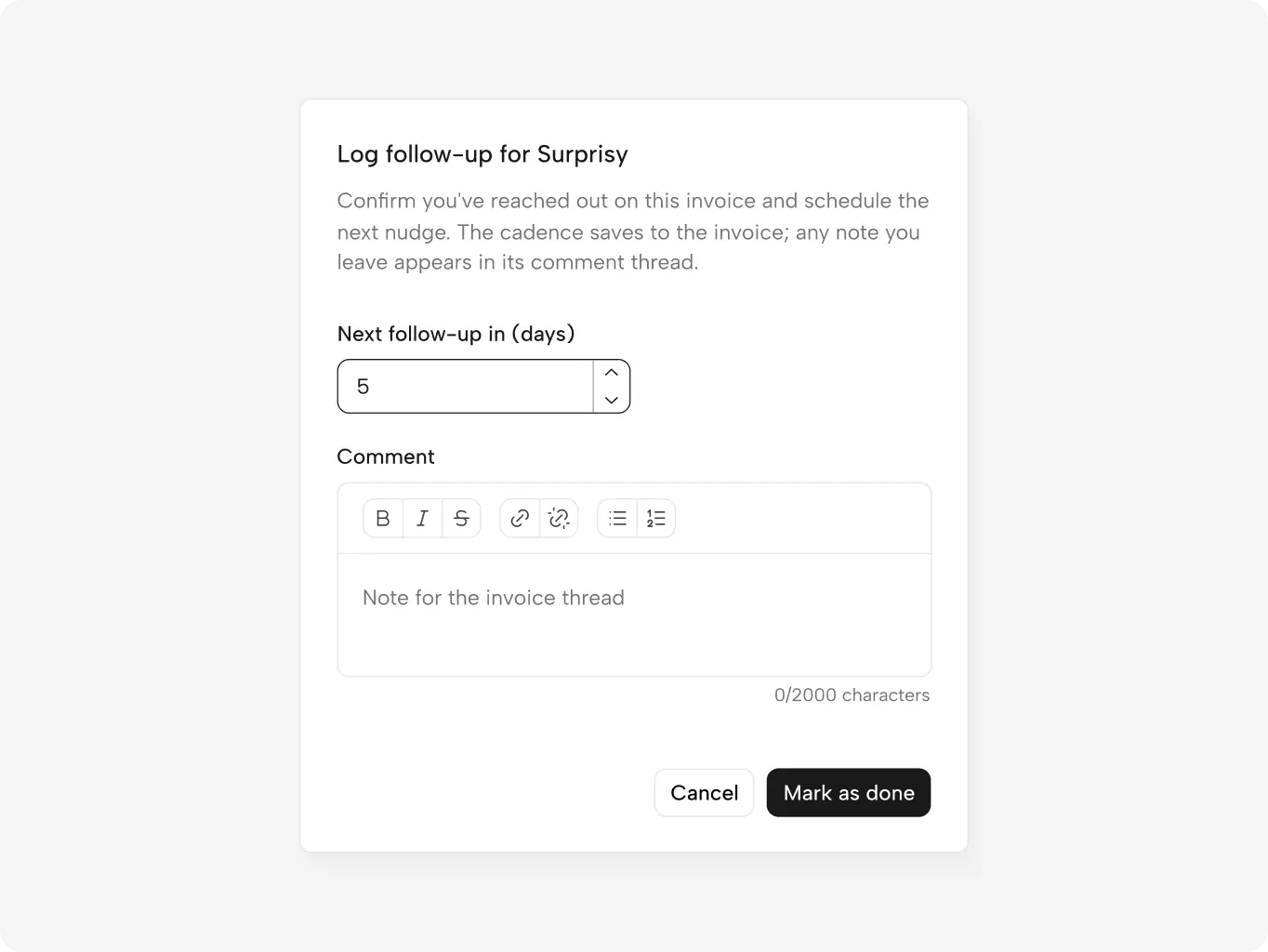
Follow-up queue for overdue invoices
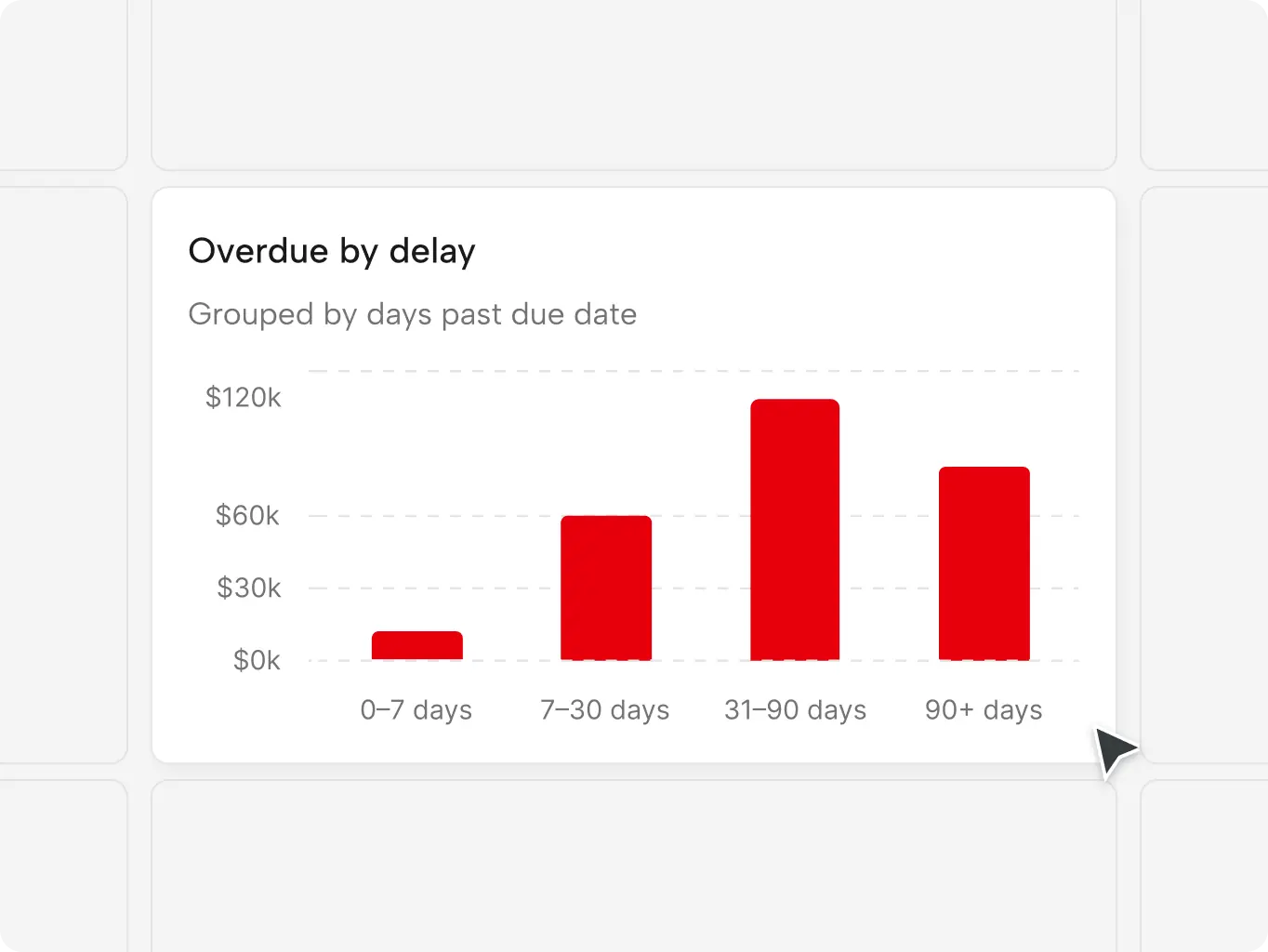
The dashboard groups overdue invoices by days past due and shows billing managers which client needs a nudge and when. Each follow-up is logged with its next date, so overdue payments are chased on schedule instead of surfacing at the month-end review.
Payment-based bonus calculation
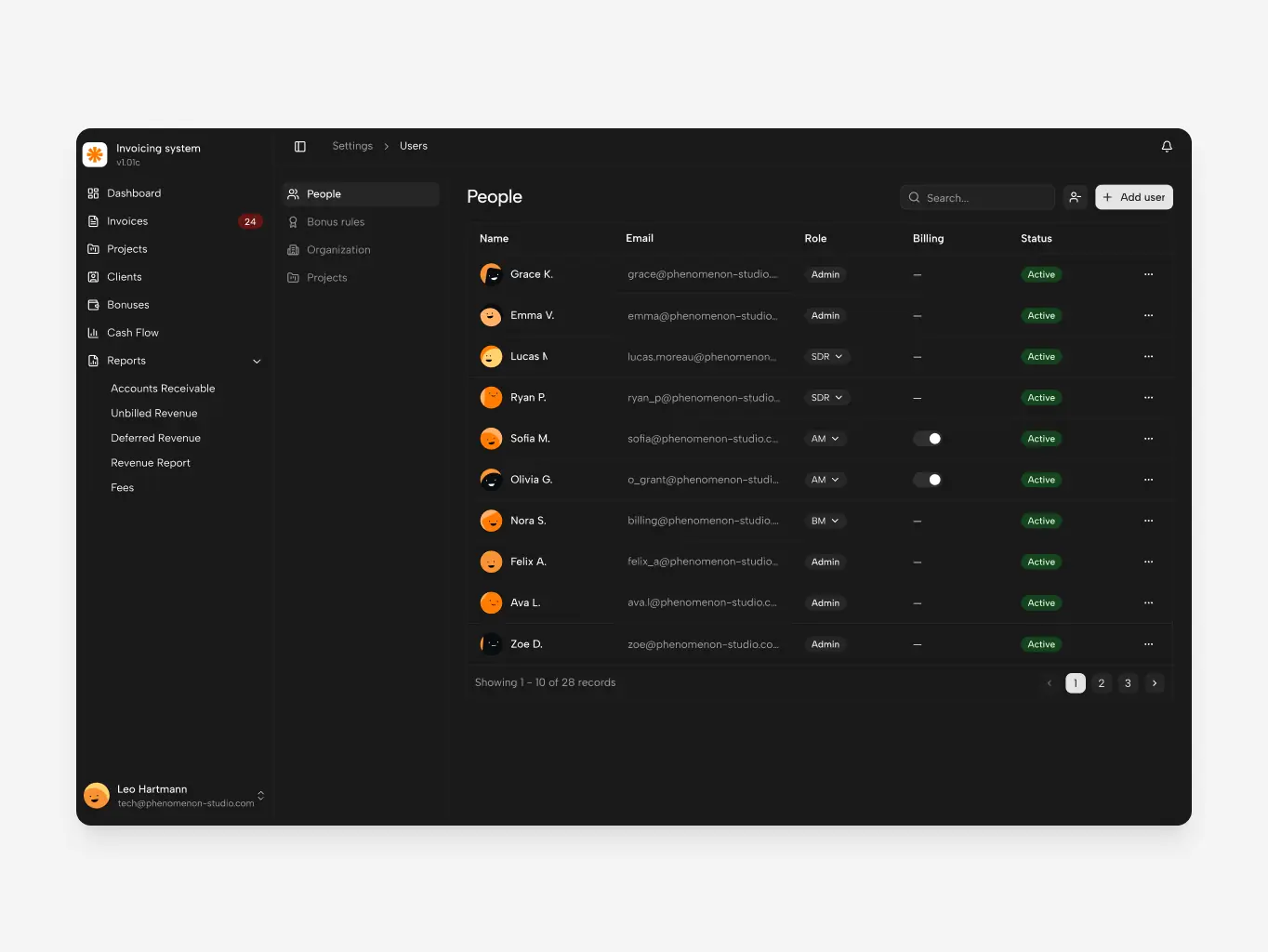
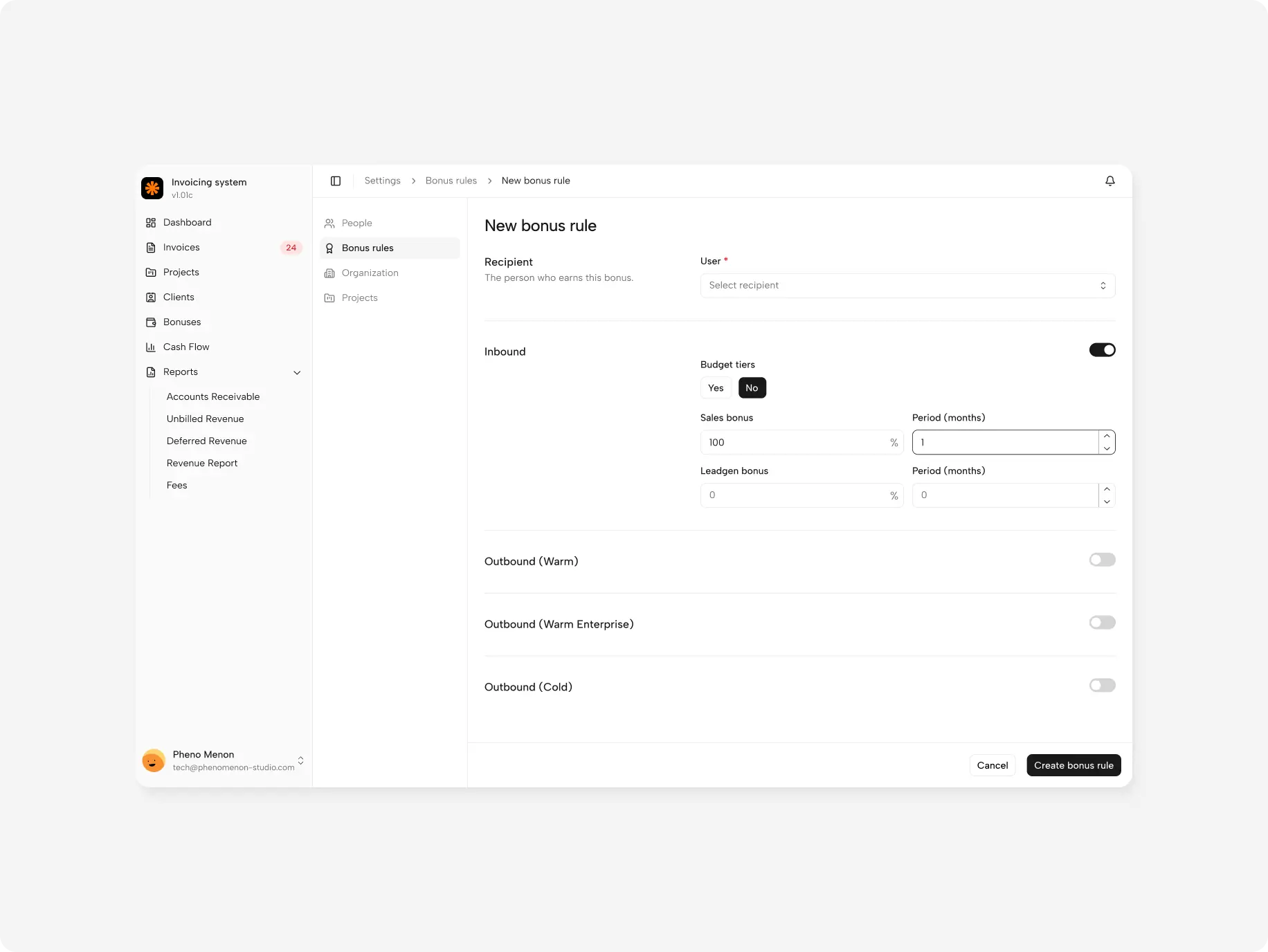
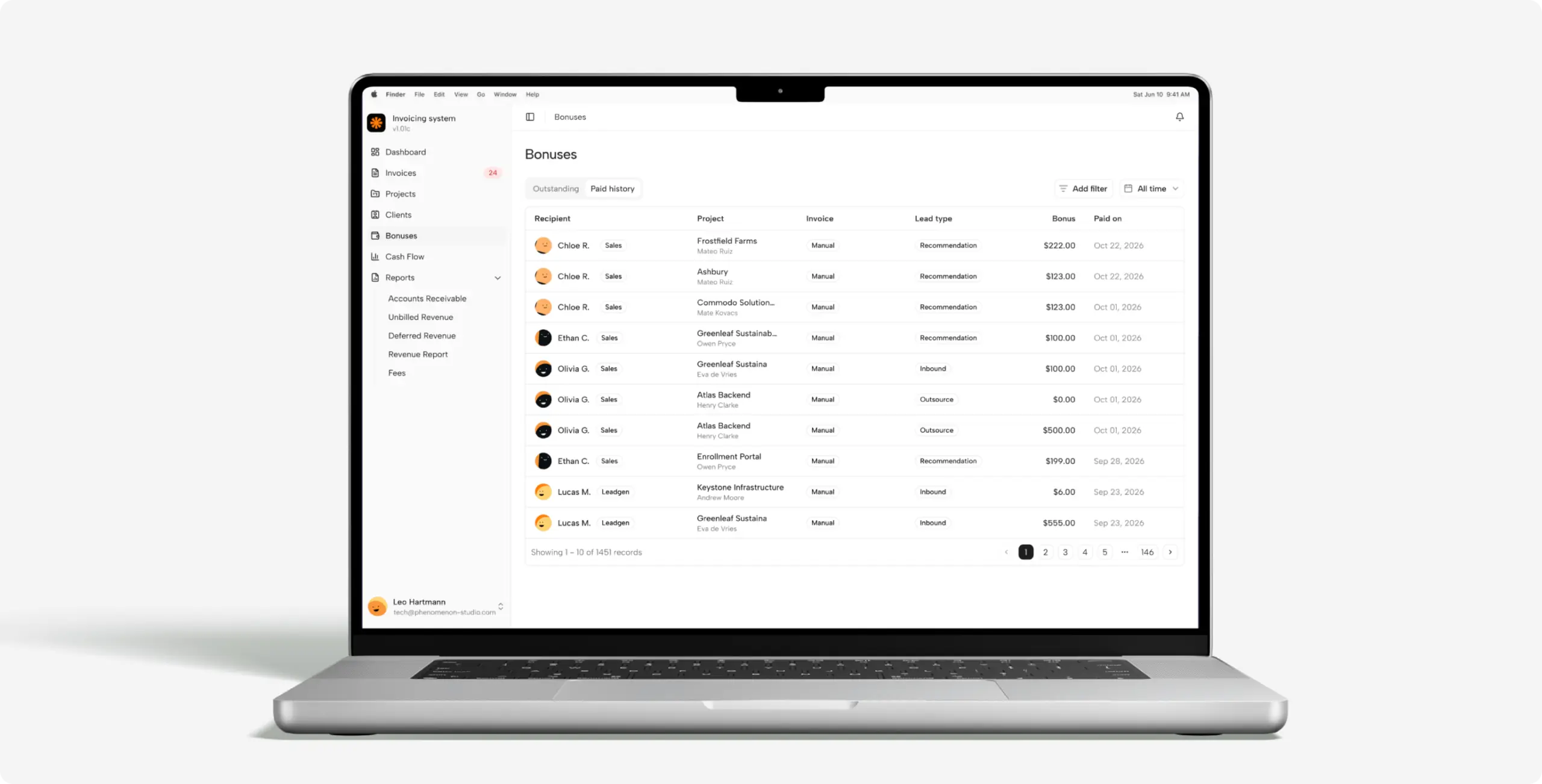
Bonus rules are set once per lead type, and each bonus-enabled project names its AM and SDR recipients. Marking an invoice as paid triggers the calculation, so bonuses follow money actually received, not invoices sent.
Multi-entity cash flow
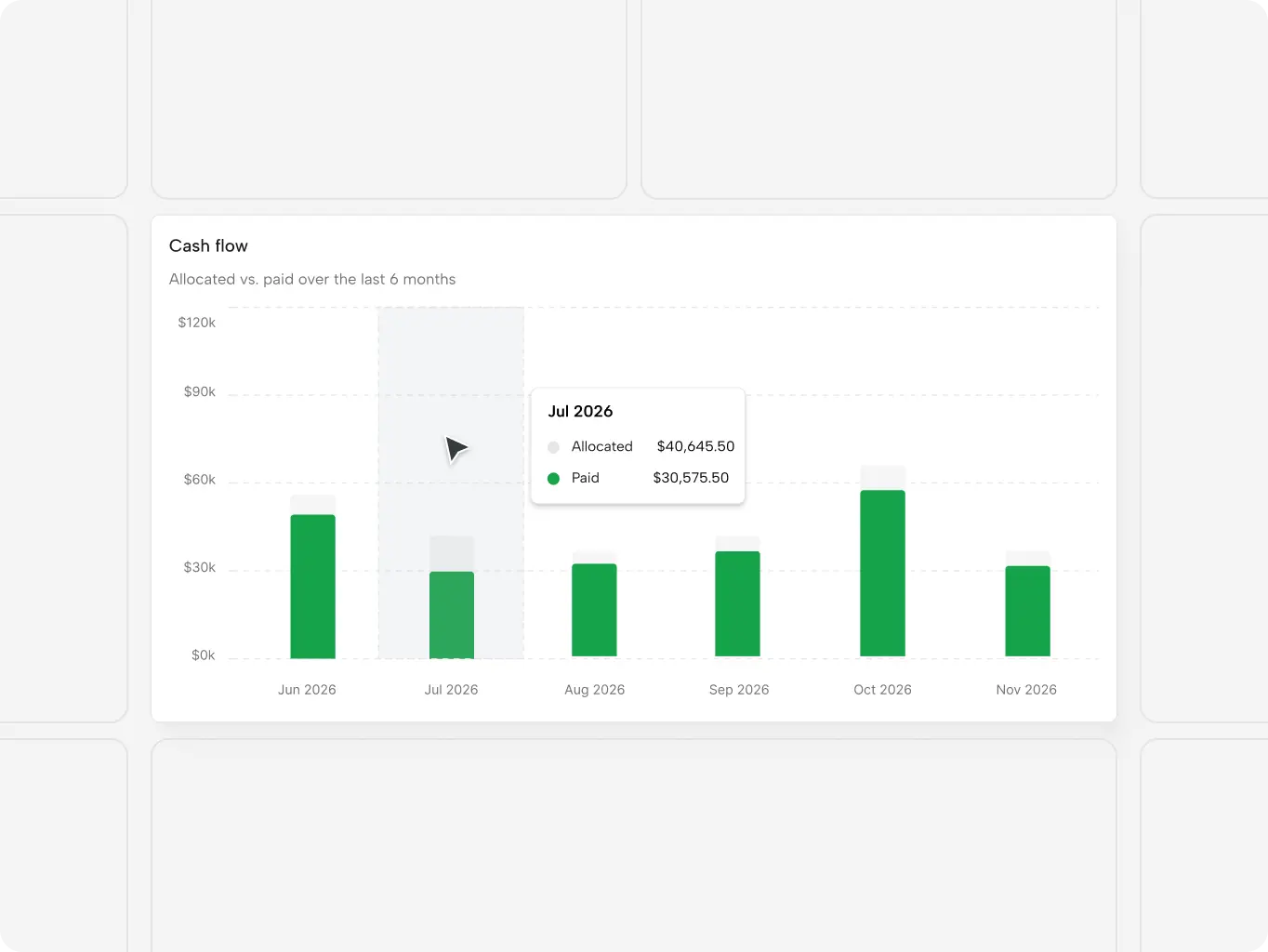
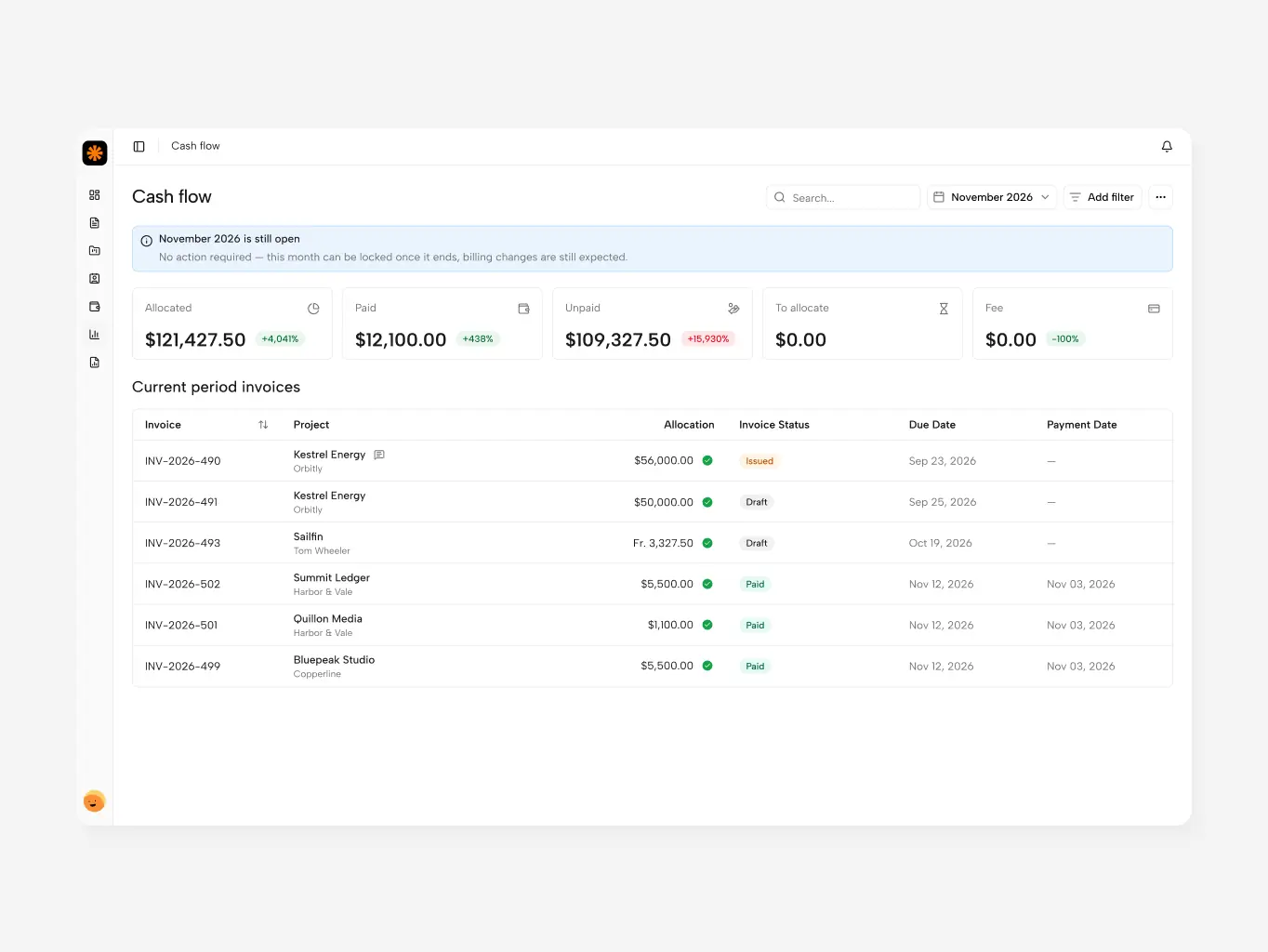
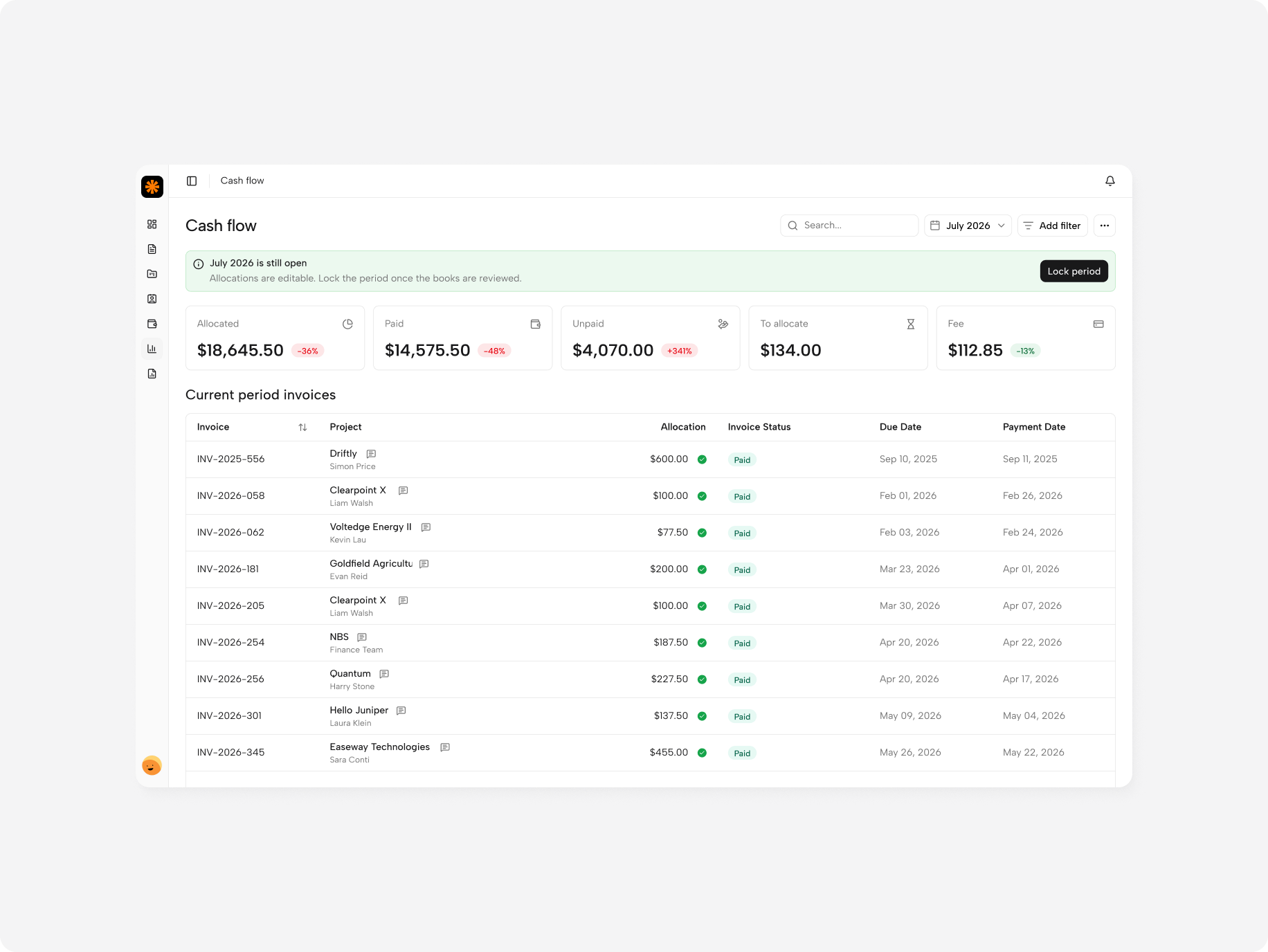
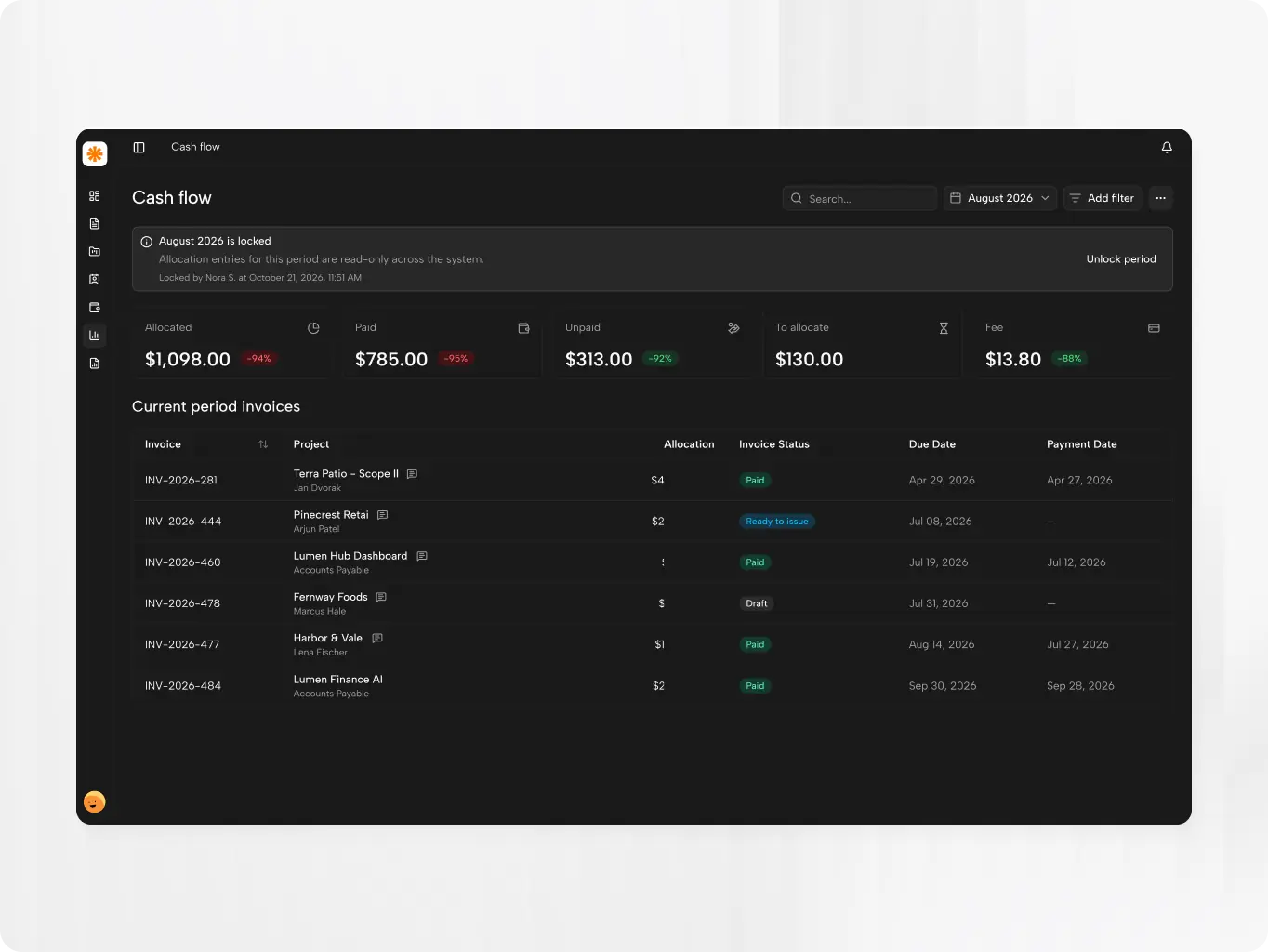
A monthly view of money coming in across legal entities, payment methods and currencies. Planned, paid and outstanding amounts sit side by side, each linked to its invoice, so the monthly check starts from figures that are already connected instead of data copied between tables — the main reason the close dropped from 7 days to 5.
Revenue allocation
Account managers spread each invoice across the months when the work was actually done. Revenue reports then reflect delivery, not billing dates — which matters for prepaid and multi-month projects, where the two can sit months apart.
Revenue & performance reports
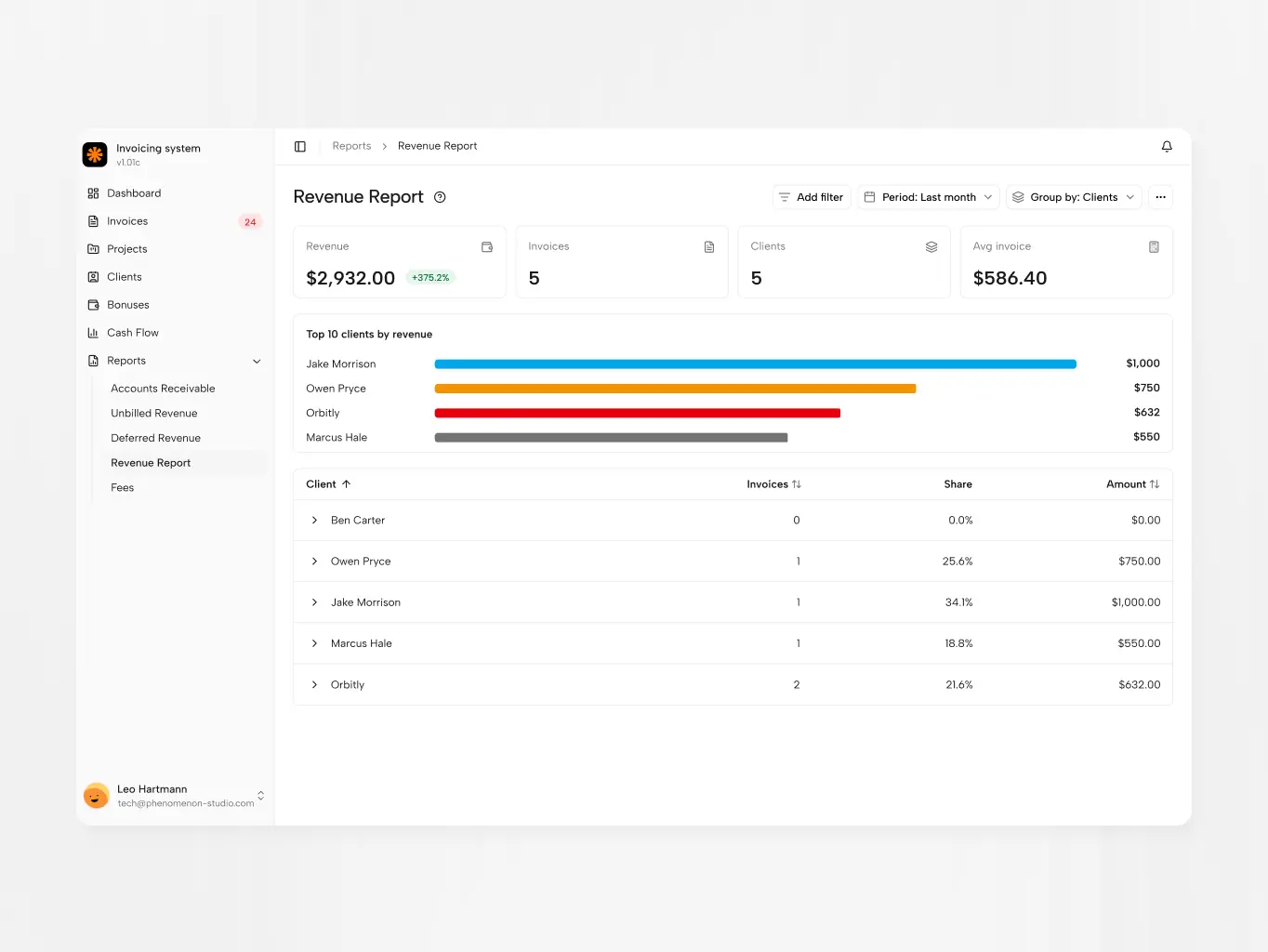
Revenue by client and project, unbilled and deferred revenue, and account manager performance now come straight from the invoices. The spreadsheet couldn't track these accurately; here there's no export or copy step for an error to slip into.
Development started from an interface that already ran on static data, with the business logic in place and real calculations — every flow had been checked to work the way the business needs, with no information lost between steps. The developers’ task was to replace static data with a real back end, move the rules to the server and connect the interface to live data.
The logic validated during design stayed intact, so development effort went into reliability and data integrity rather than reworking flows.
Stages
- Front-end development
- Back-end development
- Data migration

React 19

TypeScript

Vite

TanStack

Base UI

Zod

CASL

Tailwind CSS
Connected the prototype’s interface to the real back end. TanStack Query replaced static data with server state, so screens always show current figures; TanStack Form with Zod validation catches invalid amounts and missing fields before saving; CASL limits each of the 5 roles to what it may see and edit.
Split the work by complexity instead of handing designs over. For simple features, developers built the technical side and the designer refined UI and UX directly in their repository, without touching business logic — no handoff-and-rework loop. Complex features went through separate branches. Either way, nothing reached the main branch without developer review, so the speed AI added never came at the cost of code the team couldn’t stand behind.
Built the back end that replaced the prototype’s static data: the data model behind the Client → Project → Invoice hierarchy, server-side business rules for statuses, calculations and period closing, and the API the interface reads from. Rules that lived in fragile formulas in the spreadsheet now live in one place on the server, so a status or a total is calculated the same way for every user, every time.
The same server rules enforce what the spreadsheet never could: paid invoices lock, a closed period reopens only with a stated reason, and every change is written to an audit log. Marking an invoice as paid is one server-side action that locks the record, triggers the bonus calculation and updates reporting — so the figures behind compensation can’t drift between screens.
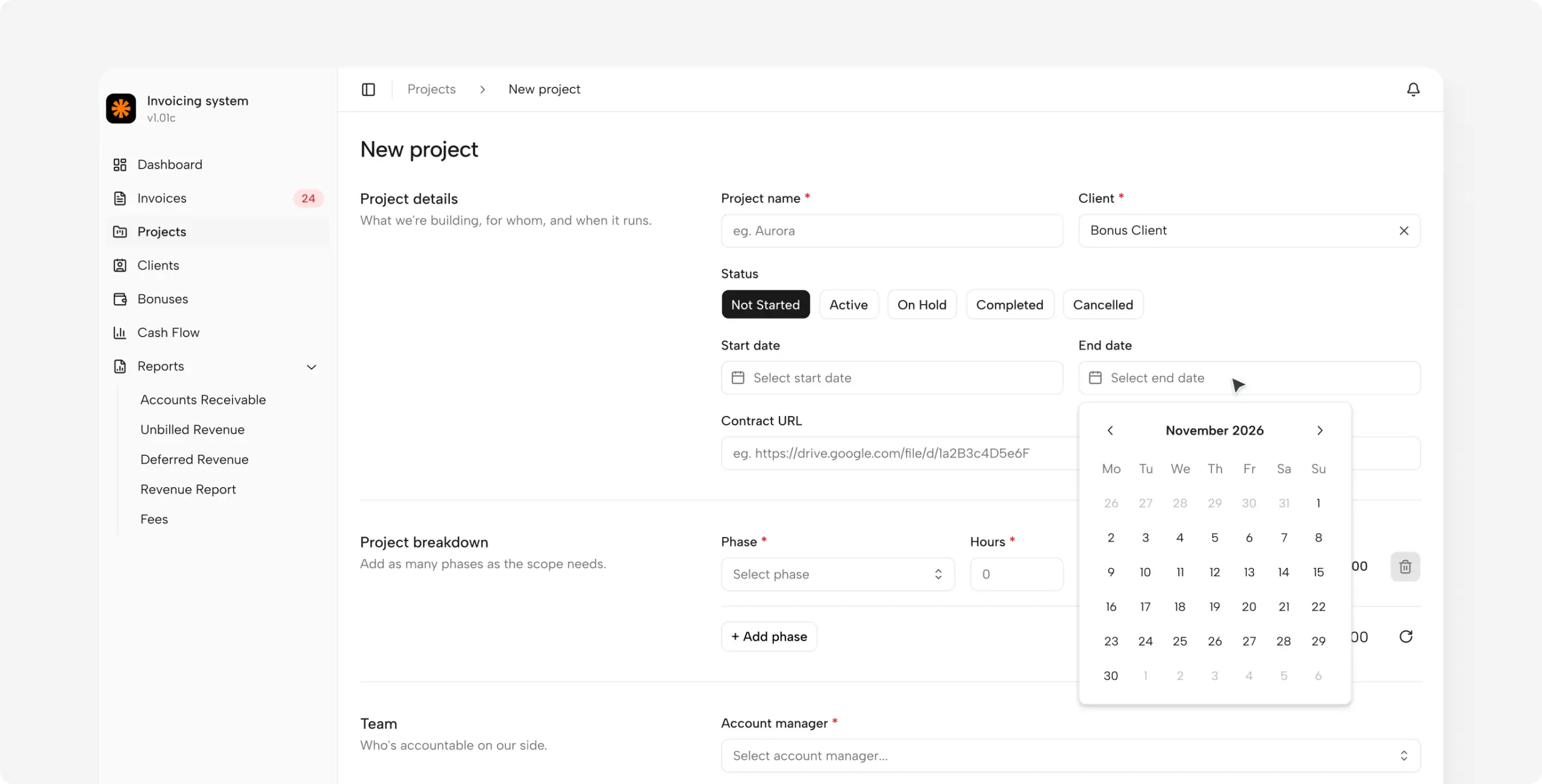
Migrated more than 2,000 invoices kept since 2021. There were no clean source tables to move — only spreadsheet files with years of accumulated data. The import ran row by row in dependency order: projects first, then their clients, then reference data, and only then the invoices, so no invoice entered the system without its project and client.
The legacy data needed fixes along the way: duplicate clients, inconsistent project names, missing statuses. The result is a billing history that reports can use from day one, and the system has run stably since launch.
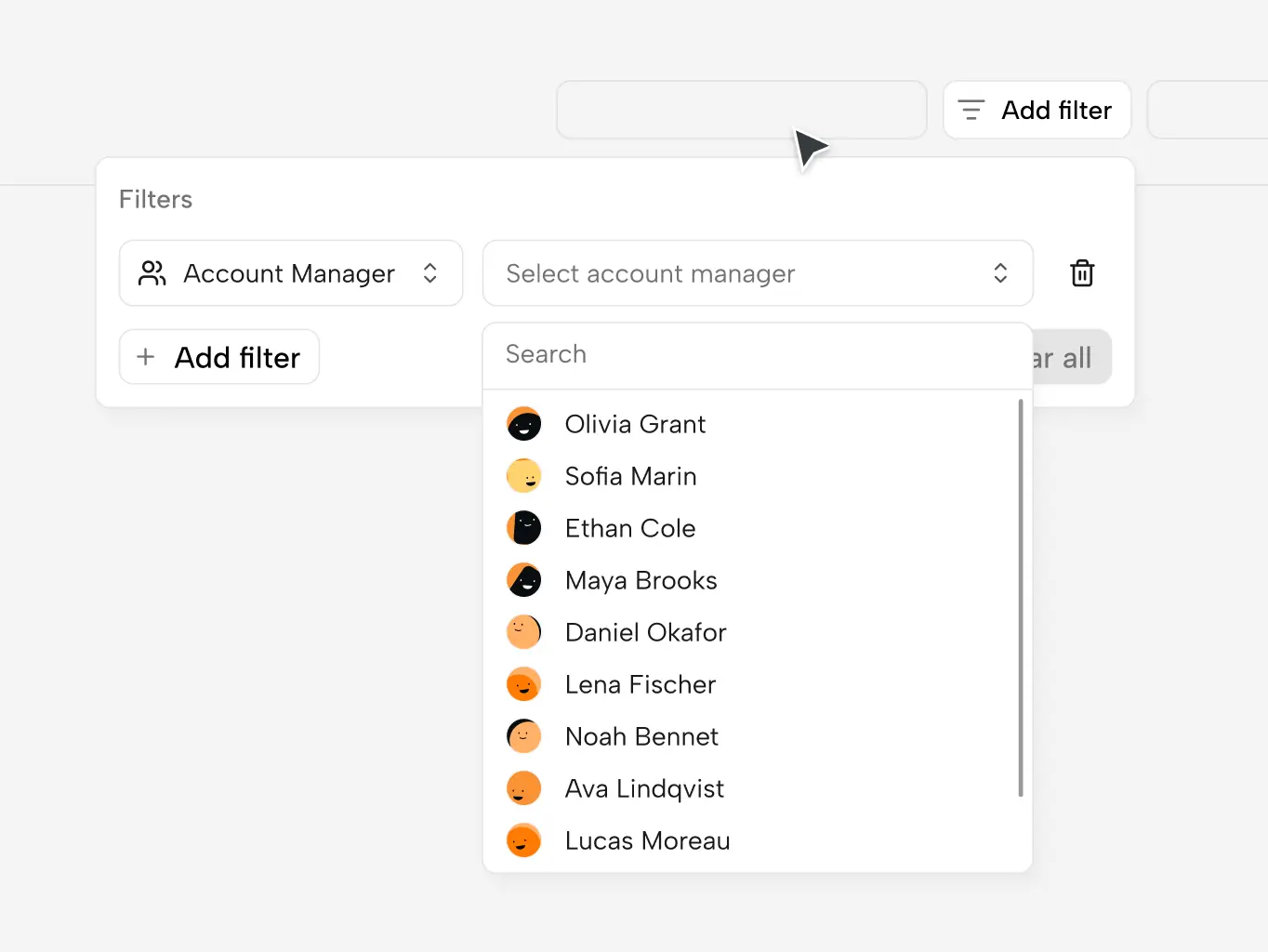
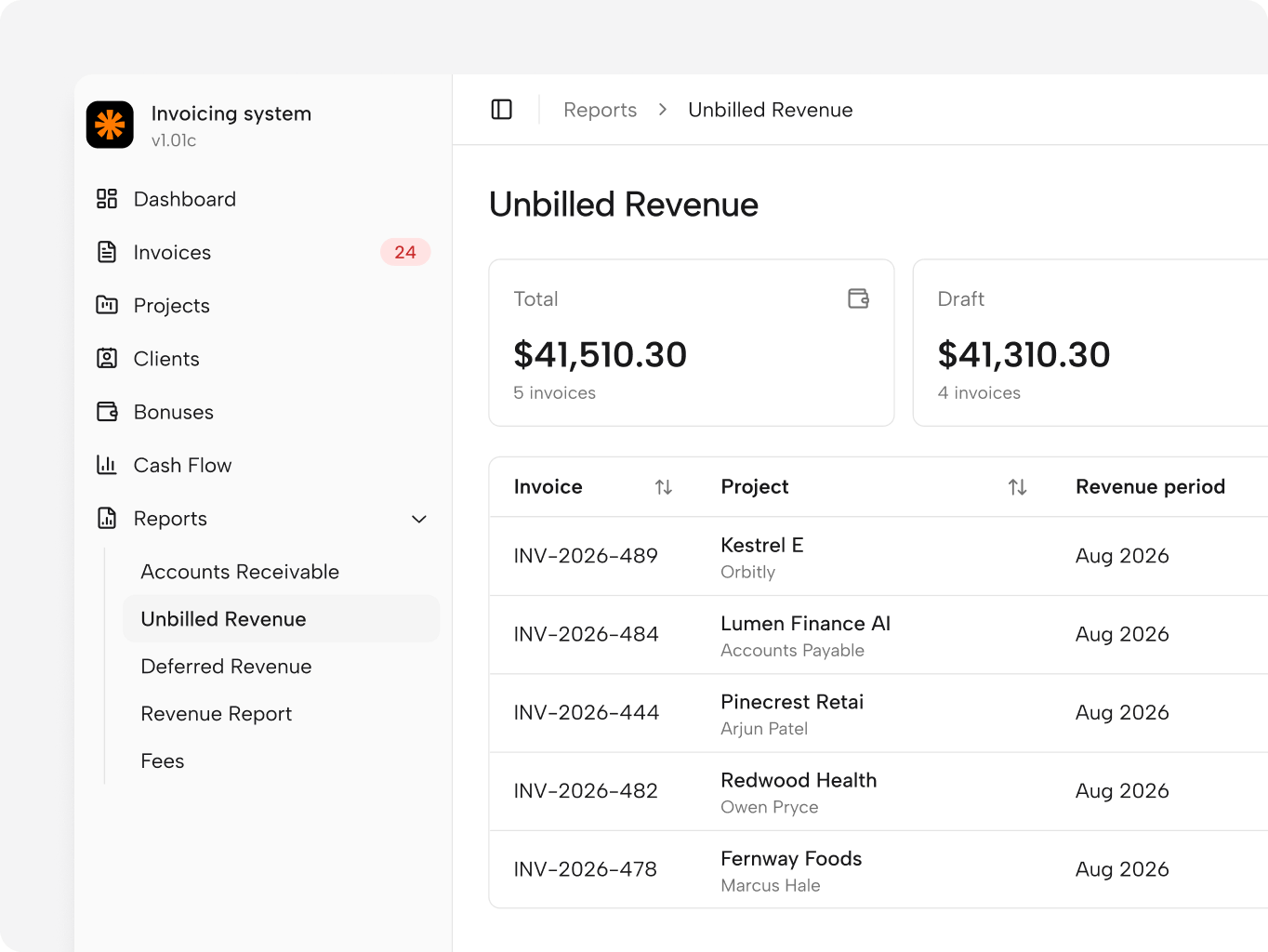
Since launch, the system has picked up new analytics reports, and work on reporting continues.
The largest planned addition is a team capacity module: one place to plan and track the team’s workload, which today still lives in spreadsheets. Every addition goes through the same cycle as the first release — documentation first, validation in a working interface, developer review before it ships.
#Website design #website development
ocean crest
 France
#Website redesign #Website development
Ama Earth
USA
USA
#Website redesign
Effortless Technologies
 Malta
Malta

Valeria Ceci
CEO, FounderThe final result reflects exactly what we wanted for Effortless — our personality, tone of voice, visual language, and the human element that is so important to our brand. The Phenomenon team was fast, professional, and highly responsive throughout the project.
